
Salesforce Reverse Proxy App (Sandbox configuration)
This app is required if you use eperi sEcure Platform for Salesforce. It is the basic app that provides the main services for Salesforce. Here the configuration for a Sandbox environment is described.
Dependency
None.
Settings
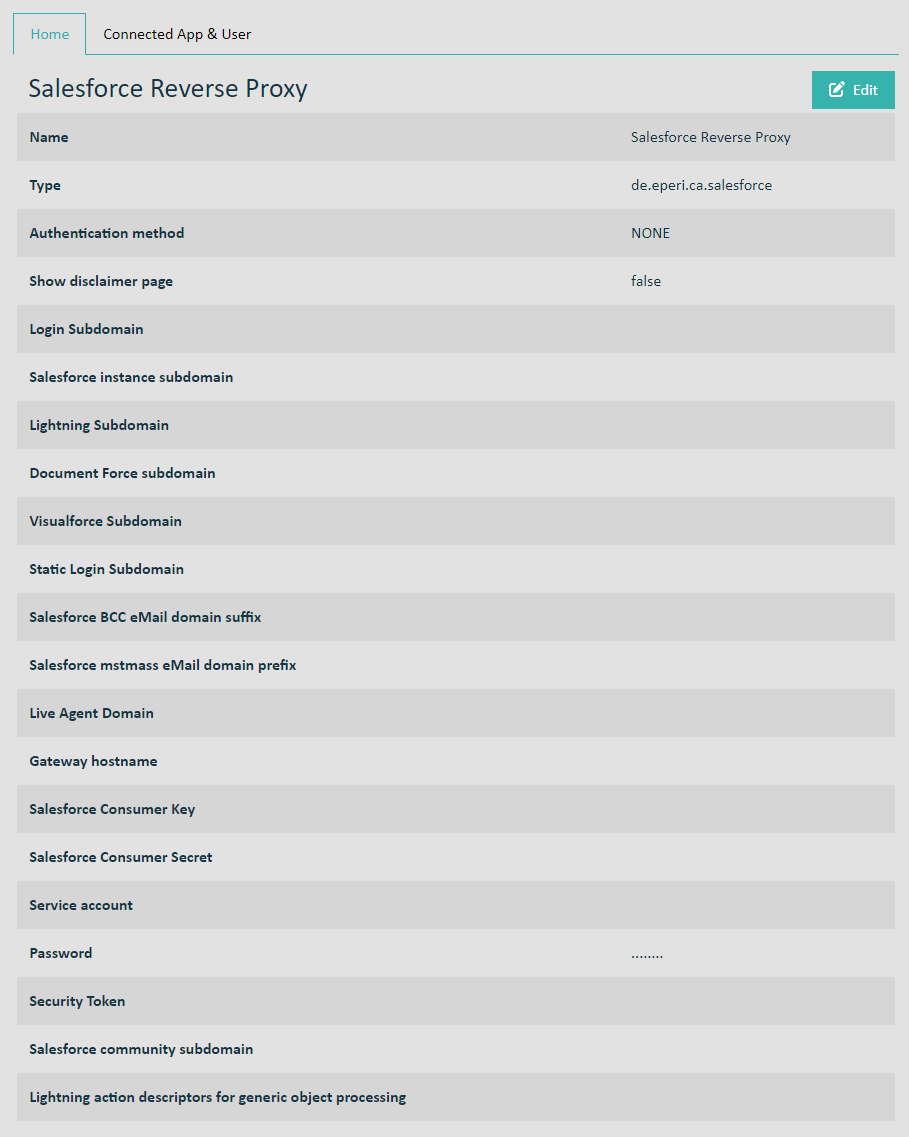
Name: See Standard settings for apps
Type: See Standard settings for apps
Authentication method: See Standard settings for apps
- Value for an old sandbox before Spring '20 Release: <myCompanyName>--<sandboxName>.<myInstance>.my.salesforce.com, e.g., eperi--qa.cs99.my.salesforce.com
- Value for a new or refreshed sandbox from Spring '20 Release: <myCompanyName>--<sandboxName>.my.salesforce.com, e.g., eperi--qa.my.salesforce.com
Salesforce instance subdomain: <myInstance>.salesforce.com, e.g., cs99.salesforce.com
Lightning Force subdomain: <myCompanyName>--<sandboxName>.lightning.force.com, e.g., eperi--qa.lightning.force.com
- Value for an old sandbox before Spring '20 Release: <myCompanyName>--<sandboxName>--c.<myInstance>.content.force.com, e.g., eperi--qa--c.cs99.content.force.com
- Value for a new or refreshed sandbox from Spring '20 Release: <myCompanyName>--<sandboxName>--c.documentforce.com, e.g., eperi--qa--c.documentforce.com
- Value for an old sandbox before Spring '20 Release: <myCompanyName>--<sandboxName>--c.<myInstance>.visual.force.com, e.g., eperi--qa--c.cs99.visual.force.com
- Value for a new or refreshed sandbox from Spring '20 Release: <myCompanyName>--<sandboxName>--c.visualforce.com, e.g., eperi--qa--c.visualforce.com
Salesforce login subdomain: test.salesforce.com
Salesforce BCC eMail domain suffix: <myInstance>.le.salesforce.com, e.g., cs99.le.salesforce.com
Salesforce mstmass eMail domain prefix: mstmassemail.<myInstance>, e.g., mstmassemail.cs99
Live Agent Domain: Your custom Live Agent Domain name. This parameter is only required, if you are using the Salesforce Omni-Channel feature. Otherwise, please do not enter anything.
Gateway hostname: Hostname of your eperi sEcure Platform instance, e.g., secure-salesforce.com.
Salesforce Consumer Key: The consumer key of the connected app inside your Salesforce org
Salesforce Consumer Secret: The consumer secret of the connected app inside your Salesforce org
Service account: The name of your Salesforce service account (An account with admin rights is recommended.)
Password: The password of your Salesforce service account
Security Token: Your Salesforce security token
Salesforce community subdomain: <sandboxName>-<myCompanyName>.<myInstance>.force.com, e.g., qa-eperi.cs99.force.com. If you don't have or need a Salesforce community, please enter No Community into this field. Please enter only No Community, and nothing else. Specifically do not enter something which is also a subdomain for Salesforce like the word "test".
Lightning action descriptors for generic object processing: Please do not enter anything. Here only something must be entered in consultation with eperi for certain use cases.