
System requirements for the Adapter for Microsoft 365
Please take note of the system requirements for the eperi sEcure Platform (see Administrator Manual) and additionally the following requirements regarding the eperi sEcure M365.
DNS requirements
In order to set up eperi sEcure Platform, a registered DNS domain is required.
For the example below, the registered domain is demo.eperi-cdp.com.
DNS should be resolvable both internally and externally.
A wildcard DNS record for this domain is required.
A Record
demo.eperi-cdp.com → 1.2.3.4 (server IP address)
CNAME Record
- *.demo.eperi-cdp.com → demo.eperi-cdp.com
- *.teams.demo.eperi-cdp.com → teams.demo.eperi-cdp.com (if you plan to configure Microsoft Teams Reverse Proxy App)
EAC support
To support the Exchange admin center (EAC) in reverse proxy mode, the following subdomains are required:- exchange.admin.demo.eperi-cdp.com
- protection.admin.demo.eperi-cdp.com
- *.protection.admin.demo.eperi-cdp.com
MX Record(s)
You need to deploy an MX record for the domain connected to your M365 tenant which points to eperi sEcure Platform.
For the examples below, the connected domain is demo.company.com.
If you want to use multiple mail domains, MX records need to be configured for all mail domains.
demo.company.com → epgw.company.com
SPF Record
It is recommended to deploy an SPF record for the domain connected to your M365 tenant which includes the public IP address of your outbound mail server.
If you want to use multiple mail domains, SPF records should be configured for all mail domains.
Example:
demo.company.com → "v=spf1 include:spf.protection.outlook.com ip4:5.6.7.8 ~all"
SSL certificate requirements
A PKI SSL certificate is required for the reverse proxy, to ensure that all communication between the end user and the cloud are fully encrypted. A wildcard certificate from a public CA is required.
eperi sEcure M365 requires a trusted SSL certificate with (as a minimum) the domain name as subject (e.g., demo.eperi-cdp.com) and the following subject alternative names:
- demo.eperi-cdp.com
- *.demo.eperi-cdp.com
- *.teams.demo.eperi-cdp.com (if you plan to configure Microsoft Teams Reverse Proxy App)
For the setup and installation of eperi sEcure Platform, you will need to obtain
- the private Key,
- the certificate and
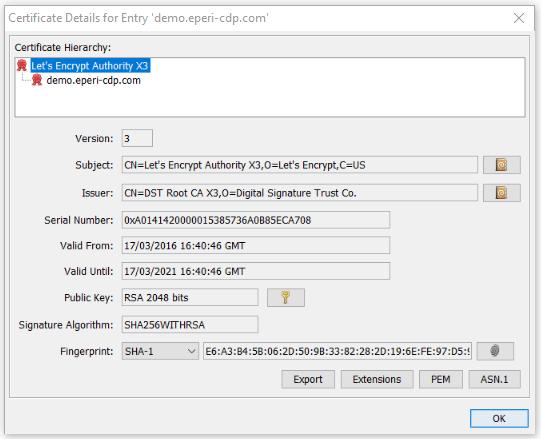
- the certificate chain including root and intermediate CA certificates.
Multimedia requirements
By default, video clips in Microsoft Teams are not encrypted. However, the functionality to encrypt and decrypt video clips can be activated via the Advanced Setting Teams - Encrypt clips (requires ffmpeg to be installed). As stated in its name, FFmpeg is a third-party dependency that will need to be installed on each host where eperi sEcure Platform is deployed.
This functionality has been tested using FFmpeg 4.2.7 and 4.4.2 on Ubuntu and 8.0 "Huffman" on Windows. To install FFmpeg on Ubuntu, use the package manager:
sudo apt install ffmpegThe following advanced settings are available for configuring video clip encryption for Teams:
- Teams - Storage path for clips
- Teams - Storage site path for clips
- Teams - Path to the ffmpeg executable (default: /usr/bin/ffmpeg)
- Teams - Path to the ffprobe executable
- Teams - Local path for caching intermediate files (default: temp folder)
- Teams - Low bandwidth variant for mobile or limited network connections (in kbit/s)
- Teams - High bandwidth variant for standard playback (in kbit/s)