
Configuring the Data Protection API in eperi sEcure Platform
Configure the Data Protection API in eperi sEcure Platform.
Before you begin
Procedure
-
In the Apps tab click New
App.
Figure 1: Admin Console - New App 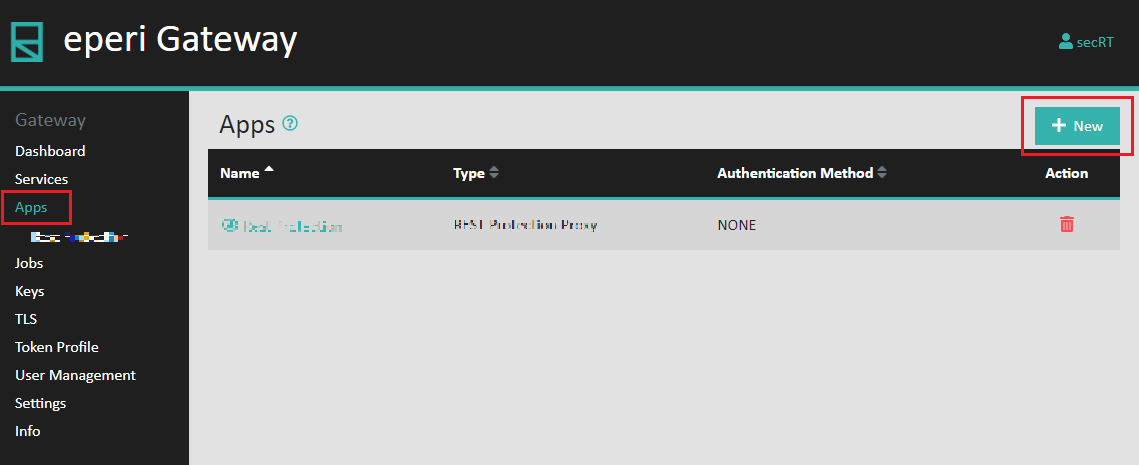
-
In the pop-up select Type
Testdata SOAP.Provide the required information for the
new app, then click Submit.
Figure 2: SOAP CSV Tokenizer app configuration 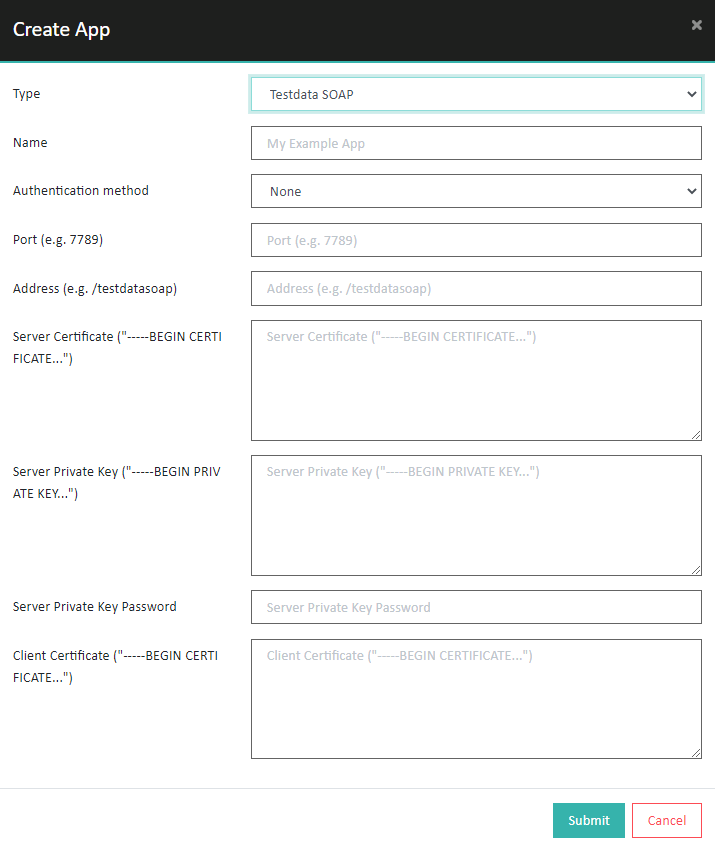 Note: In the field Server Private Key you can enter either an unencrypted key or a key that is encrypted using the RSA or DSA algorithm.
 -
Navigate to Services (Web Services) tab and click
Start button in the of your TestData
Service to start the web service.
Figure 3: Start the web service 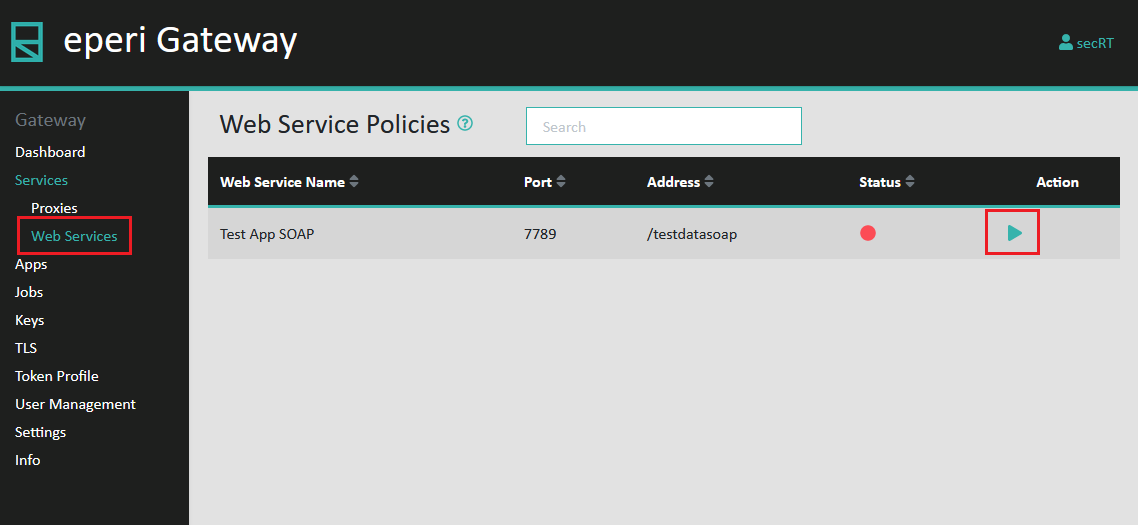
Results
Note: Any change of the SOAP CSV Tokenizer app
configuration requires a restart of the corresponding web service in the
Dashboard tab.