Configuring your SOAP client
Before you can submit requests to the web service, a few settings are required in your SOAP client.
Procedure
-
In the SSL settings configure the following:
- KeyStore: the path to the keystore of your client SSL certificate
- KeyStore Password
- Client Authentication: Check requires client authentication
Figure 1: SOAP client - SSL settings 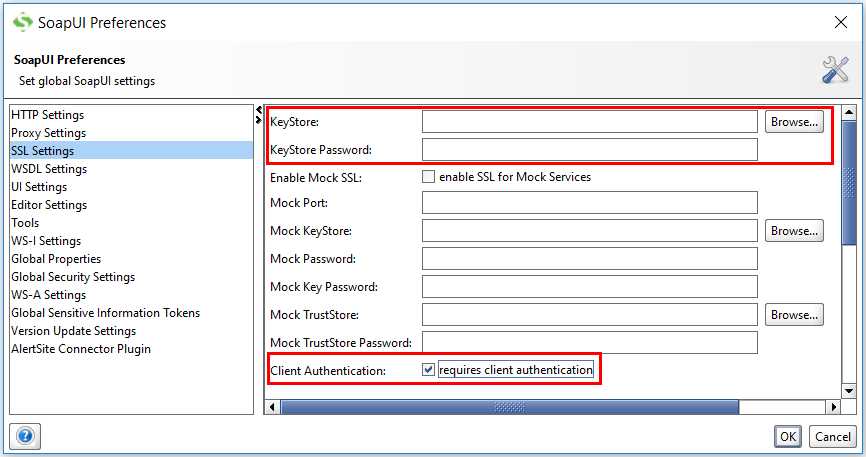
-
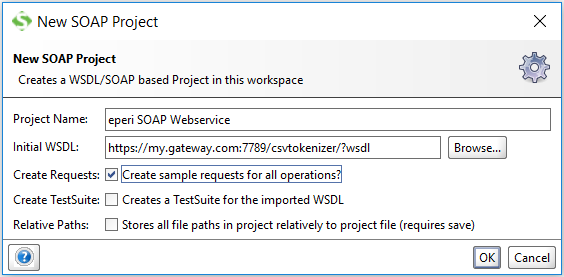
In the pop-up New SOAP Project enter the
following:
- Project Name: A project name of your choice.
- Initial WSDL: The URL: https://<gateway-hostname>:<port>/<address>/?wsdl, e.g. https://my.gateway.com:7789/csvtokenizer/?wsdl
Figure 2: SOAP client - New SOAP Project