
Unveiling a CSV file
How to unveil a CSV file with the web service.
Procedure
-
Enter the same ContentID set in the parameter csvFile in
the field ContentID of the file attachment.
Figure 1: SOAP request - unveilCSV 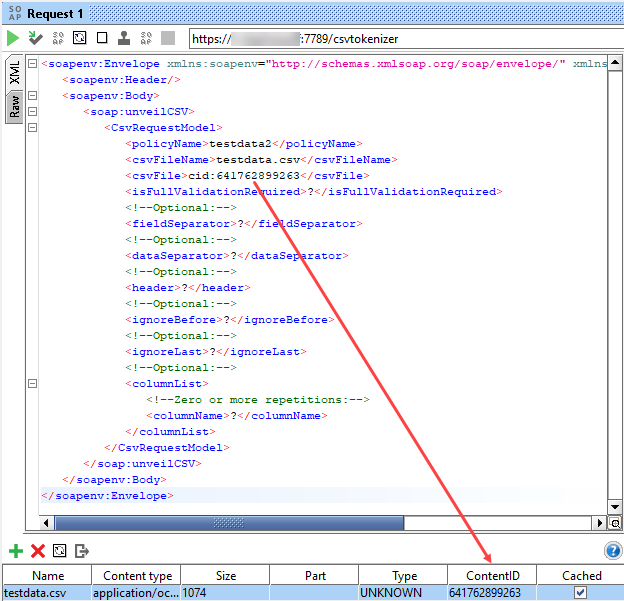
Results
| Status code | Status text |
|---|---|
| 10 | "Success" |
| 31 | "no csv file provided" |
| 32 | "csv is not valid" Additionally, a detailed error list is provided. |
| 33 | "IllegalStateException occurred: " + <error message> |
| 34 | "FileNotFoundException while creating a temp file" |
| 35 | "IOException while creating a temp file" |
| 36 | "Exception occurred: " + <errorMessage> |
| 37 | "General exception occurred" |
The response also contains a unique requestId. The
requestId can be used to distinguish the logs for the
respective request in the log file.