
Enabling the eperi sEcure Platform to host PAC Files
By configuring a Resource App you will enable the eperi sEcure Platform to host PAC Files or other file types.
Procedure
-
In the pop-up menu, provide the needed information and click
Submit.
Figure 1: Provide the Information 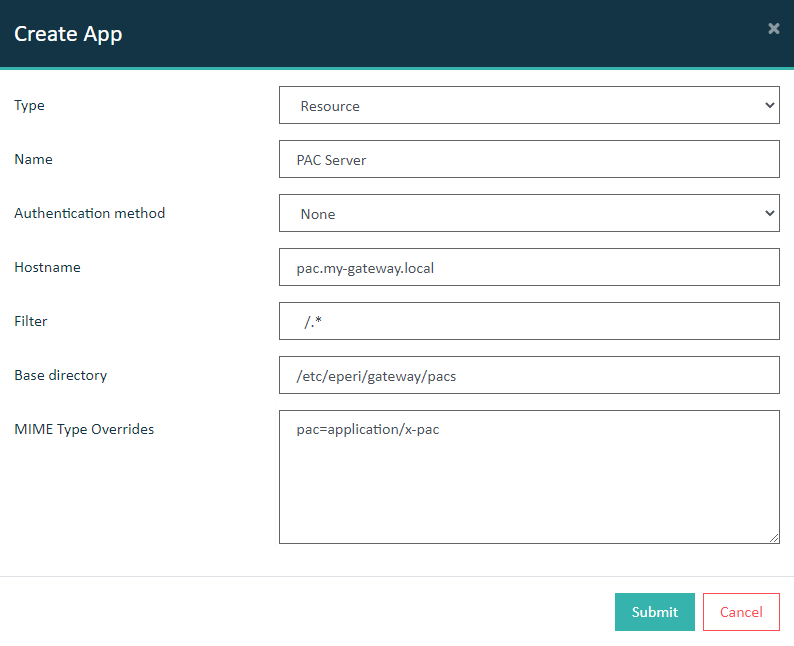
Option Value / Description Type Resource Name The name of your App Authentication method None Hostname The hostname under which the files should be served. Filter URI pattern for the files to be served. Base Directory Filesystem path containing the files to serve. MIME Type Overrides Manual MIME type mappings. Can be used when a default doesn't work. One entry per line with each entry following the syntax
fileExtension=type/subtype, e.g.,p7b=application/x-pkcs7-certificatessvg=image/svg+xmlInternal default mappings for js, css, png, bmp, gif, and pac already exist.