Assigning the eperi sEcure Platform license to another customer account
How to assign the license of one eperi sEcure Platform instance to another customer account.
Before you begin
The procedure described below is valid from release
18.14.1.0.
About this task
Important: In a cluster environment, the procedure must be performed on each
eperi sEcure Platform instance.
Procedure
Log in to the eperi sEcure Admin Console and select Settings > License.
In the Hardware ID section take a note / copy the value shown.
Figure 1: Hardware ID
Click Relinquish License.
Connect to the target server using your preferred SSH tool (e.g., PuTTY) and log
in.
Stop the eperi sEcure Platform service by executing the following command:
sudo systemctl stop eperi-gateway
Change to the directory
/opt/eperi/gateway/tomcat/webapps/ROOT/etc.
Overwrite the file product.lic with the file
product.42 as follows:
sudo cp product.42 product.lic
Check if the owner and the group of the file product.lic
is still eperi. If not, change owner and group to
eperi.
Connect to the eperi sEcure Platform database using your preferred database client.
In the table eperi.TABLE_NODECONFIGURATION delete the entry
with the Gateway Node Id you have noted / copied
before:
DELETE FROM eperi.TABLE_NODECONFIGURATION WHERE NODEID='<your Node Id>';
Switch back to the command line of the eperi sEcure Platform server and start the eperi sEcure Platform service:
sudo systemctl start eperi-gateway
Log into the eperi sEcure Admin Console and select Settings > License.
Enter the license details for the new/other customer account, then click
Apply.
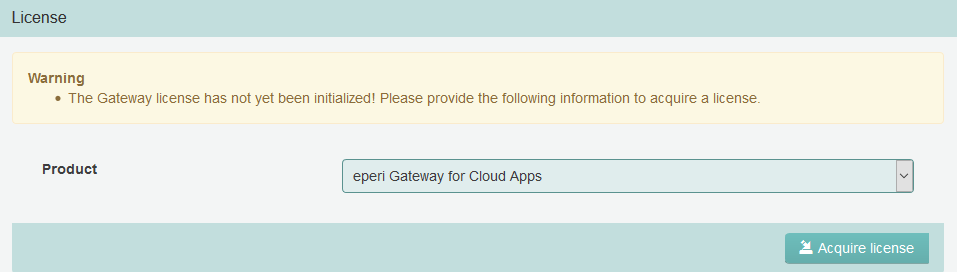
After eperi sEcure Platform has successfully contacted the eperi license
service, you are requested to acquire your license:
Note: If eperi sEcure Platform could not reach the eperi license service,
an error message will be displayed. In that case you need to activate your
license offline and continue as described in section Acquiring your license in offline mode.
Click Acquire license.
Results
You have successfully assigned a eperi sEcure Platform license to another
customer account.


 Note: If eperi sEcure Platform could not reach the eperi license service, an error message will be displayed. In that case you need to activate your license offline and continue as described in section Acquiring your license in offline mode.