
Configuring the Solr services in eperi sEcure Platform
Configure the Solr services for all instances of eperi sEcure Platform, so that they are connected with the Solr cluster.
Before you begin
- The version of eperi sEcure Platform is 19.4.1.0 or higher.
- You have enabled SSL in your Solr setup as described in Installing the Apache Solr cluster.
- You have enabled the Basic Authentication in Solr as described in section Enabling Basic Authentication in Solr.
- Solr must run in SolrCloud mode. (This is the case when the parameter ZK_HOST is set in the Solr configuration.)
- Required permissions in eperi sEcure Admin Console:
- Permission "Show Solr Schema" (assigned to the Application Manager, Auditor, and Global Administrator)
- Permission "Modify Solr Schema" (assigned to the Application Manager and Global Administrator)
Procedure
-
Still in the Solr tab, click Test Connection.
On successful configuration, the following status should be displayed, for example:
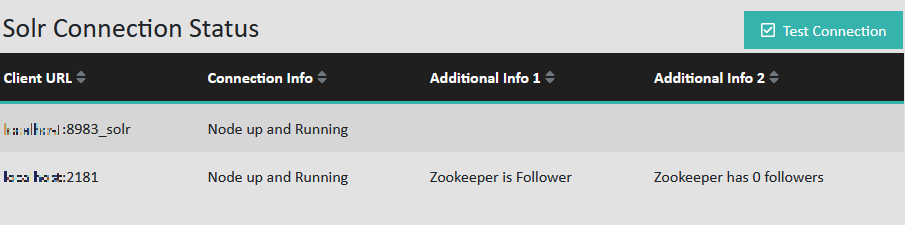 Note: The status information will be updated within the same session as soon as you click the Test Connection button.