Office365 OneDrive Forward Proxy App
This app is required for the functionality of OneDrive Online while eperi sEcure Platform is operating as a forward proxy.
Dependency
None.
Settings
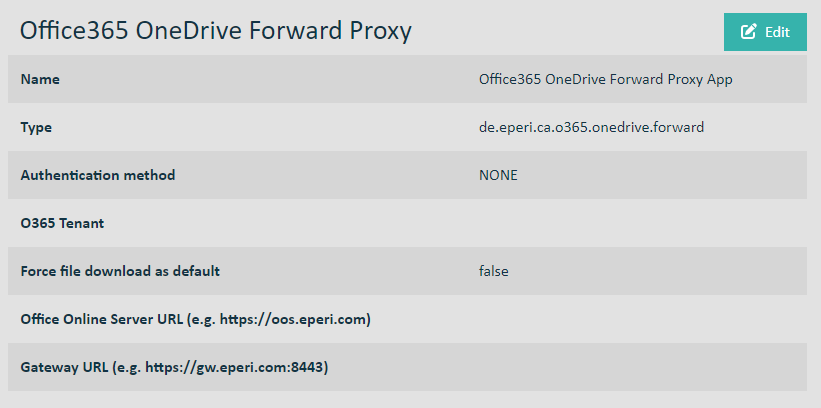
O365 Tenant: Configure your tenant name. You can find it out
as follows:
- Log in to the Microsoft 365 admin center.
- Select .
- Find the domain that ends with "onmicrosoft.com".
- The tenant name is the part before "onmicrosoft.com". For example, if your domain is mycompany.onmicrosoft.com, the tenant name is mycompany.
Note: When entering the parameters above, please use lowercase values.
Note: The native Office Online apps are not supported. As an alternative, an Office
Online Server can be used for Offline Viewing and Editing of Documents (for
details on how to set this up see Using Office Online Server (optional)). To
enable this feature, both fields below have to be filled out.
Office Online Server URL: Optionally enter the URL of an Office Online Server.
Gateway URL: Optionally enter the URL under which the Office Online Server can reach eperi sEcure Platform. It must be entered with the port on which eperi sEcure Platform is listening.
Important: As soon as you have changed an app setting, the proxy the app is assigned to must be restarted (for example on the
Dashboard page).
Using the Sync Client for Windows/Mac
The Sync Client for Windows/Mac can be used once the above app has been setup.
Important:
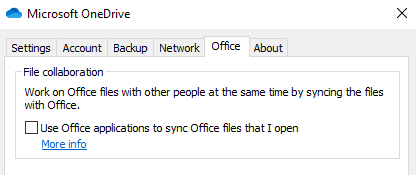
The setting for file collaboration has to be disabled.
The resulting setting should like depicted in the screenshot below.