
Configuring and starting an In-Database job
Configure and start a job to execute an In-Database policy setting.
Procedure
-
In the pop-up menu enter a Job Name of your choice, set
the Mode of your choice (protection or unveiling data)
then click Submit.
Figure 1: New In-Database job 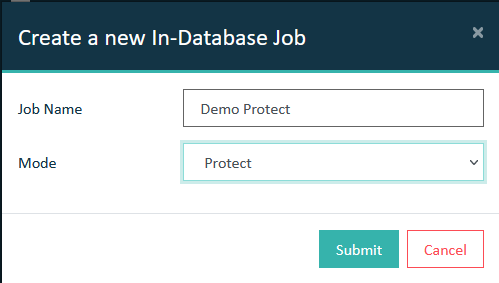 The new In-Database job is displayed with the respective Mode in the list.
Figure 2: In-Database jobs 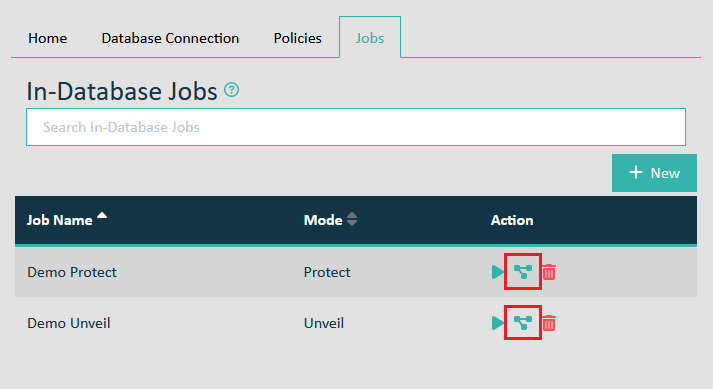
-
In the pop-up menu Assign Policies to Demo Job select
all In-Database policies you want to assign to this job, then click
Assign.
Figure 3: Assign policies to the job 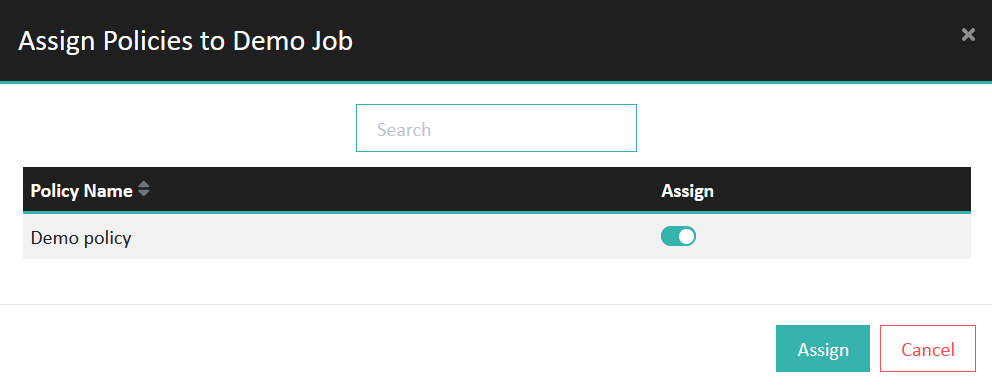 Note: It is possible to execute multiple policies simultaneously.
 -
Click Start to execute the configured In-Database
job.
Figure 4: Start In-Database job 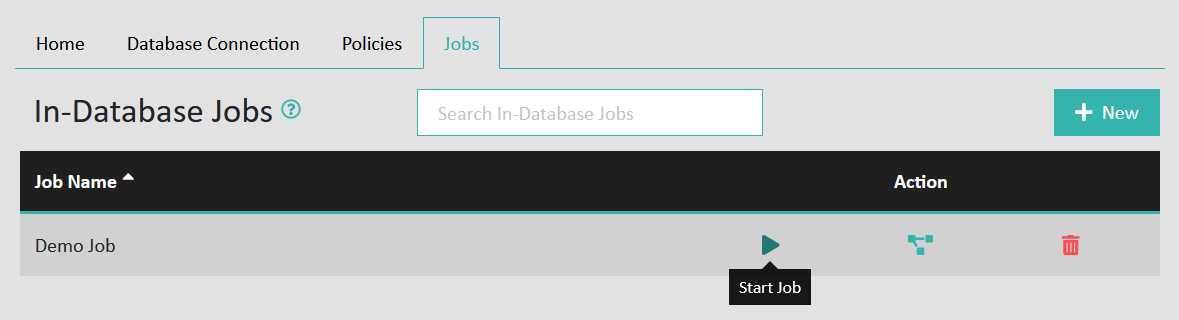
Results
2018-12-13 16:19:25.685 +0100: INFO - 01-unkn00-1999992 - Info: starting job 6 (inDbManager-Job-6, de.eperi.ca.soap.indbtokenization.InDbManager)
2018-12-13 16:19:25.695 +0100: INFO - 01-unkn00-1999992 - Info: run tableJob (inDbManager-Job-6, de.eperi.ca.soap.indbtokenization.InDbManager)
2018-12-13 16:19:25.707 +0100: INFO - 01-unkn00-1999992 - Info: PRIMARY KEY: firstname (inDbManager-Job-6, de.eperi.ca.soap.indbtokenization.InDbReplacementJobTableElement)
2018-12-13 16:19:25.710 +0100: INFO - 01-unkn00-1999992 - Info: query: select `firstname`, `lastname` from testdata2 limit 0,100 (inDbManager-Job-6, de.eperi.ca.soap.indbtokenization.queryhandler.AbstractInDbQueryHandler)
2018-12-13 16:19:25.713 +0100: INFO - 01-unkn00-1999992 - Info: Result set queried, now iterating... (inDbManager-Job-6, de.eperi.ca.soap.indbtokenization.InDbReplacementJobTableElement)
2018-12-13 16:19:25.716 +0100: INFO - 01-unkn00-1999992 - Info: query: select `firstname`, `lastname` from testdata2 limit 100,100 (inDbManager-Job-6, de.eperi.ca.soap.indbtokenization.queryhandler.AbstractInDbQueryHandler)
2018-12-13 16:19:25.718 +0100: INFO - 01-unkn00-1999992 - Info: Result set queried, now iterating... (inDbManager-Job-6, de.eperi.ca.soap.indbtokenization.InDbReplacementJobTableElement)
2018-12-13 16:19:25.723 +0100: INFO - 01-unkn00-1999992 - Info: time tokenization used (sec): 0 (inDbManager-Job-6, de.eperi.ca.soap.indbtokenization.InDbManager)
While a job is running, you can pause or stop it. A paused job can be resumed.