Setting up BG Task Schedules targeting Token Database
This Background Task option retrieves the entirety of the Token Database and stores the unprotected values of every token in the target collection.
Before you begin
About this task
Procedure
-
Select the Jobs tab and click on
+New.
Figure 1: New BG Task Schedule 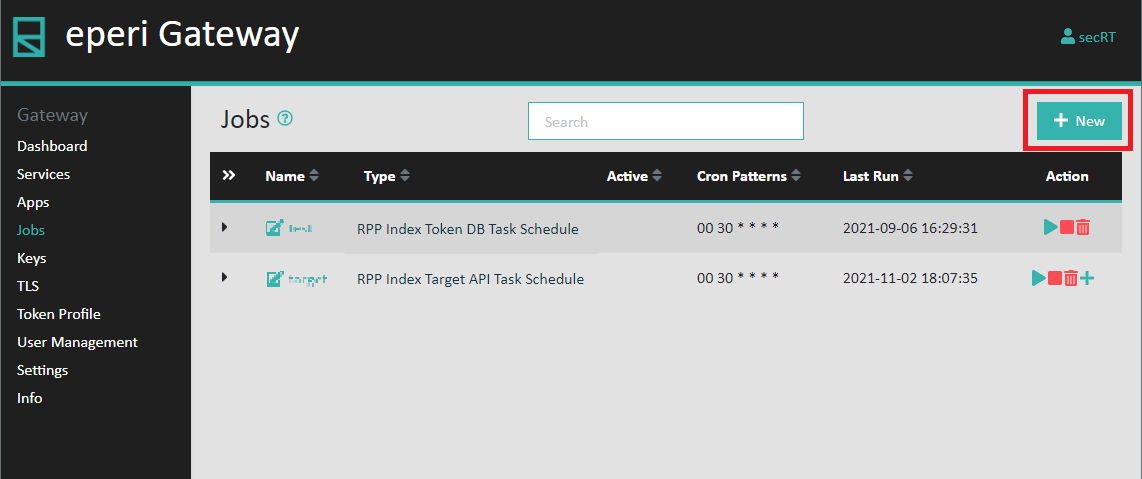
-
In the pop-up menu select the Type RPP BGI Task Config
and provide the required information and then click
Submit
Figure 2: New BG Task Schedule 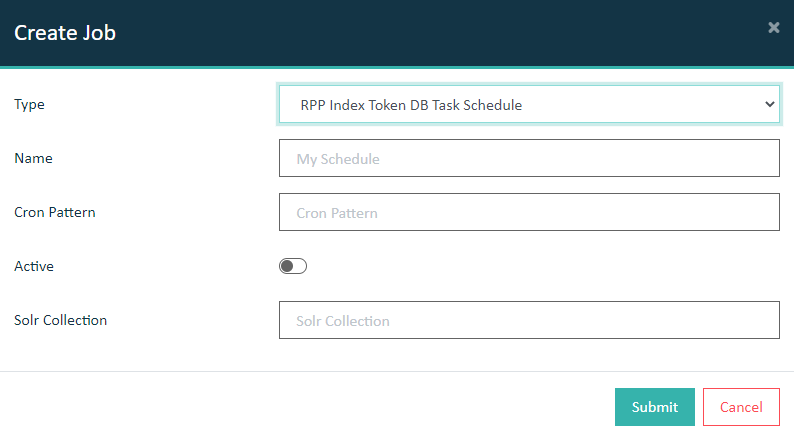
Option Description Name Provide a name of your choice for the endpoint. Active Set the switch on if you want BG Tasks to run on scheduled cron patterns. Cron Pattern Provide a cron pattern for the schedule Solr Collection Provide the name of the Solr collection where the data should be indexed.
Results