Configuring the data protection policy
Configure the data protection policy in eperi sEcure Platform, so that cases generated from incoming emails are encrypted.
Procedure
-
Log into the eperi sEcure Admin Console, select the
Salesforce tab and configure the data protection
policy as follows:
Table 1. Data protection policy for Email-to-Case Object Field Encryption method Tokenizer EmailMessage BccAddress Tokenization de.eperi.ca.email EmailMessage CcAddress Tokenization de.eperi.ca.email EmailMessage FromAddress Tokenization de.eperi.ca.email EmailMessage FromName Tokenization String EmailMessage HtmlBody Encryption n/a EmailMessage Subject Encryption or Tokenization String EmailMessage TextBody Encryption n/a EmailMessage ToAddress Tokenization de.eperi.ca.email Important:- The table above contains only those settings that are directly required for the Email-to-Case process. Possibly, further settings are required for the encryption / tokenization of fields of other objects, e.g. the case object.
- In Salesforce, there are no fields for the ToName, CcName and BccName fields of an email. Therefore, eperi sEcure Platform automatically applies the policy configured for the field EmailMessage.FromName to the fields ToName, CcName and BccName, too.
- If you have defined a different policy for EmailMessage.Subject and Case.Subject, eperi sEcure Platform will apply – in the context of Email-to-Case – the policy that you defined for EmailMessage.Subject. The reason for this is that Salesforce generates cases from the emails.
-
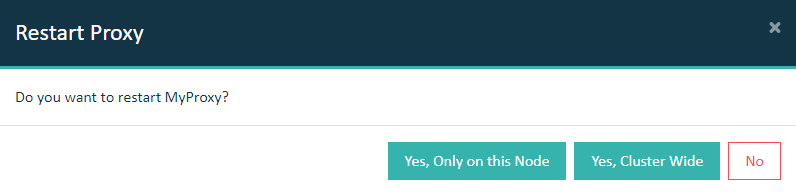
Go to the Dashboard tab and restart the Salesforce
Reverse Proxy.
Important: In a cluster setup, the proxy must be restarted with Cluster Wide option.