Disabling Teams chat encryption
You can configure Teams to not encrypt chat messages with external users while retaining the decryption of calendar appointments when using eperi sEcure Platform for email protection. However, unlike messages, files uploaded to Teams chats and channels will remain encrypted.
Before you begin
To fully support Microsoft Teams via forward proxy, you will need a functional Solr/ZooKeeper cluster.
For detailed procedures, see Installing & configuring the Solr instances.
Please note that each of the following installation steps are required:
- Installing Apache ZooKeeper on Solr cluster instances
- Installing the Apache Solr cluster
- Setting the urlScheme to https
- Enabling Basic Authentication in Solr
- Uploading the Configset & Creating the Solr Collections
- Configuring the Solr services in eperi sEcure Platform
- Setting up ZooKeeper access control lists with Solr
An Office365 Substrate Forward Proxy App is also required for supporting search functionality within Teams.
Procedure
-
Log in to your Microsoft 365 admin center and navigate to the Microsoft Entra admin center by selecting the Identity icon in the toolbar.

-
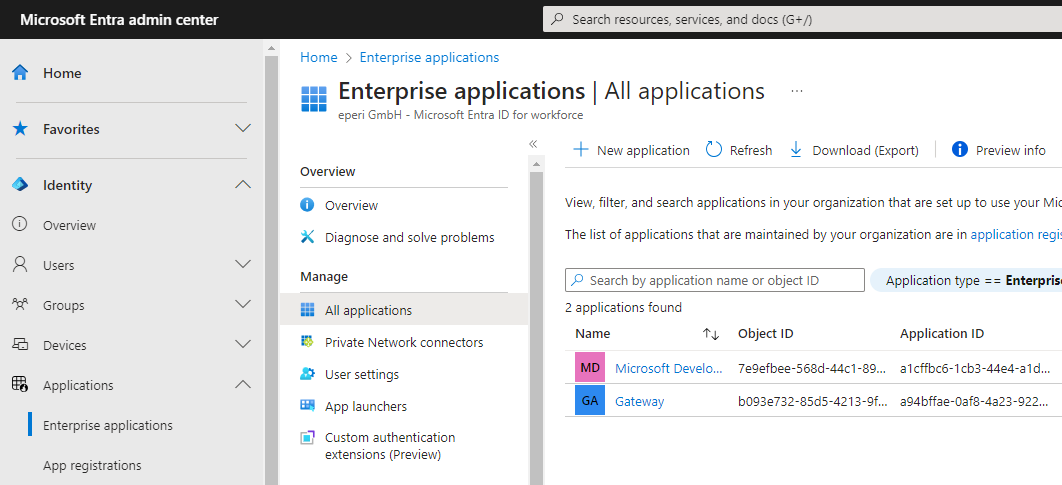
Under Applications > Enterprise applications > All applications, locate the application you registered for the eperi sEcure Platform described in the procedure Registering a new app in Azure Active Directory by finding the Application ID in the list that matches the Client ID in your eperi sEcure Platform M365 Settings:
-
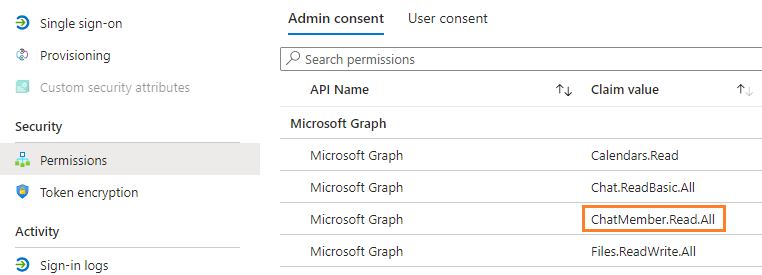
Open the details of the application by clicking its hyperlinked name, then list its permissions to verify that it has the required ChatMember.Read.All permission.