Create a New Role for the Data Protection REST API
Since the endpoints for the Data Protection REST API require special permissions, you should create a new role for granting them.
Before you begin
- Access to an instance of the eperi sEcure Platform which is up and running.
- Valid credentials of an existing administrator account.
- The administrator account used has the required roles and permissions for the desired operations.
About this task
In order to use this API, the user needs the following permissons:
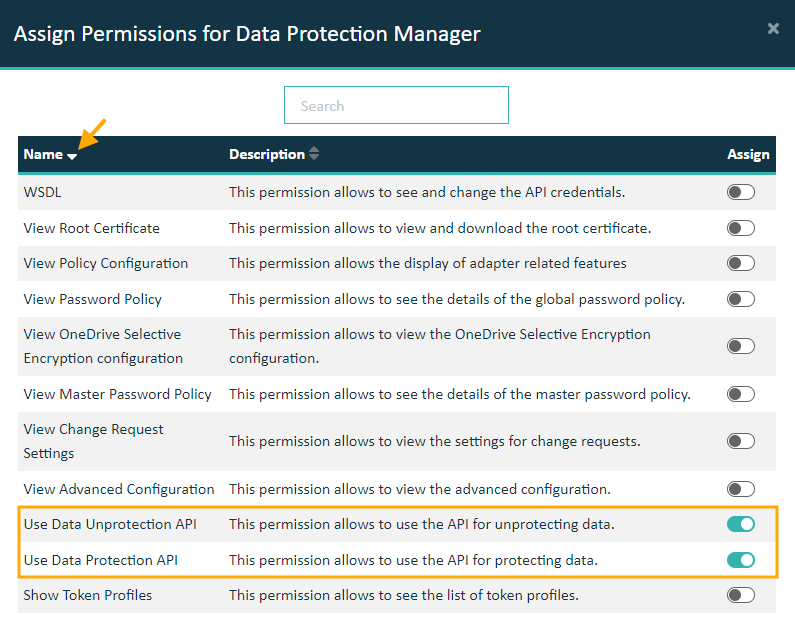
- Use Data Protection API
- Use Data Unprotection API
Note: The best practice for assigning these permissions is to create a dedicated role instead of assigning the necessary permissions to an existing role.
Procedure
-
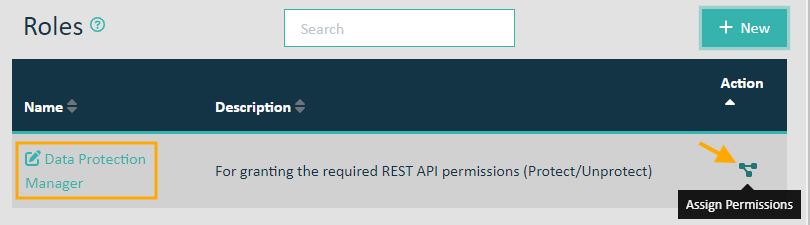
Click the Assign Permissions icon for this new role.
-
In the Assign Permissions for Data Protection Manager dialog, toggle both the Use Data Protection API and the Use Data Unprotection API permissions as shown below.
-
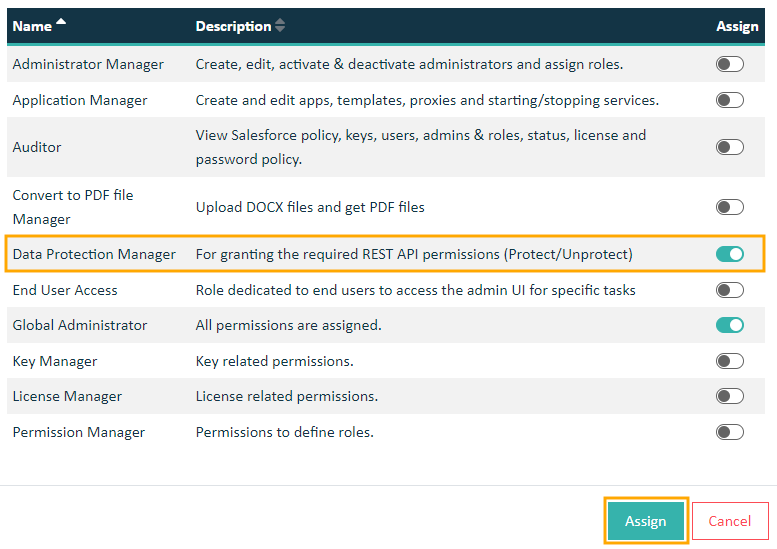
Assign the new Data Protection Manager role to a user by navigating to
and selecting the Assign Roles icon for the administrator who should be granted these permissions.

-
Toggle the Data Protection Manager role and click Assign.