Protect API for files
With this API, you can protect files by using eperi sEcure Platform to encrypt their content and optionally tokenize their file names.
Before you begin
About this task
Starting with eperi sEcure Platform 23.13.1.0, this REST API endpoint provides functionality for protecting files.
Note: The following example uses the Swagger UI to illustrate how to interactively protect data.
Swagger provides API documentention for each endpoint and allows you to test them interactively.
However, in a production environment, you will probably use an automated approach for accessing the REST API.
Procedure
-
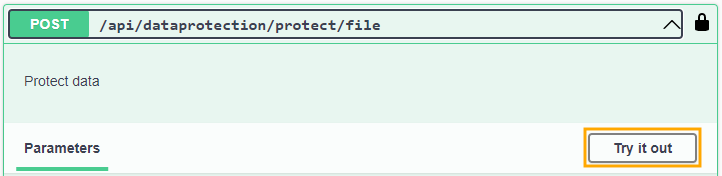
Click Try it out.
-
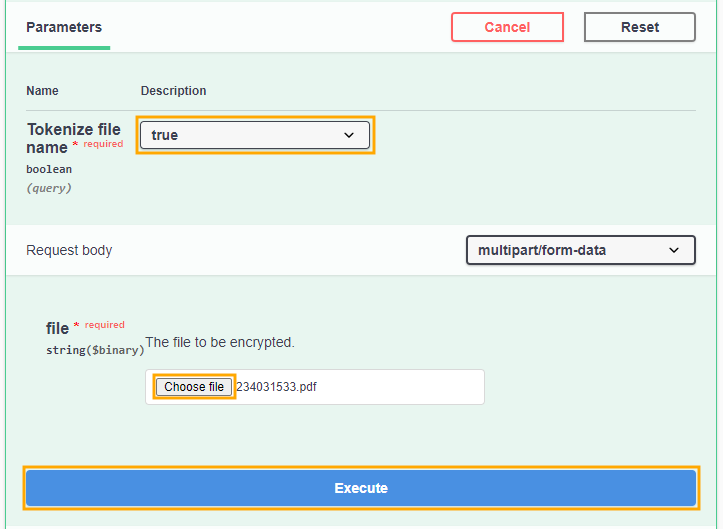
Set the required parameters:
- In the Parameters section, select either true or false for Tokenize file name.
- Click Choose file to open a file browser dialog for selecting the file you want to encrypt. After you have set both required parameters, click Execute.
-
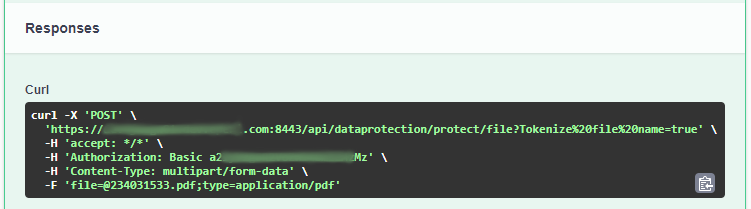
In the Responses section, copy the Curl command that is generated if you would like to perform this operation later on via CLI or within a shell script.
-
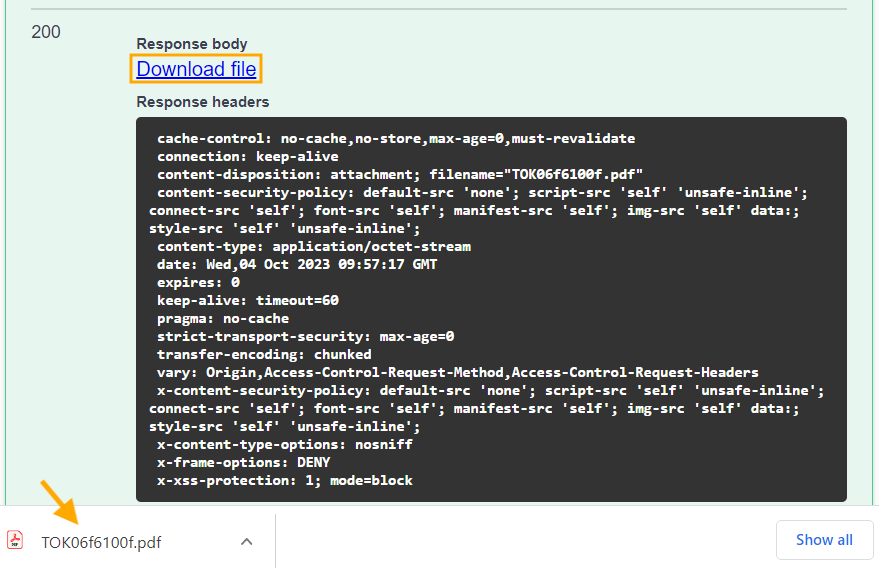
Click the Download file link.
After the download is complete, you will have a protected version of your file.