Adding the Email button to the case page layout
Add the Email button to the case page layout so you can reply per email when viewing a case.
Procedure
-
Drag and drop the Email button to the
Salesforce Mobile and Lightning Experience Actions
section.
Figure 1: Drag & drop the email action button 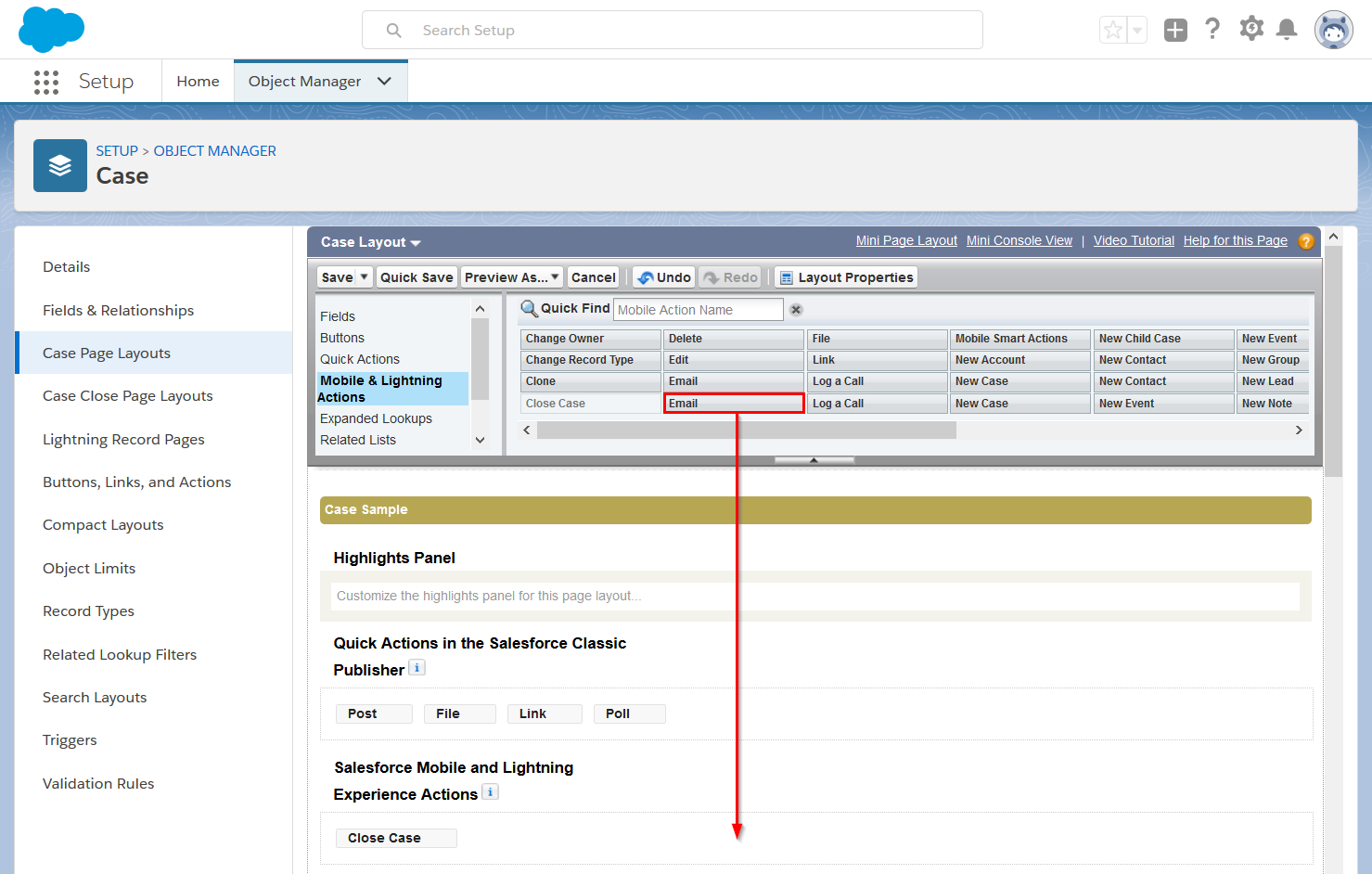
-
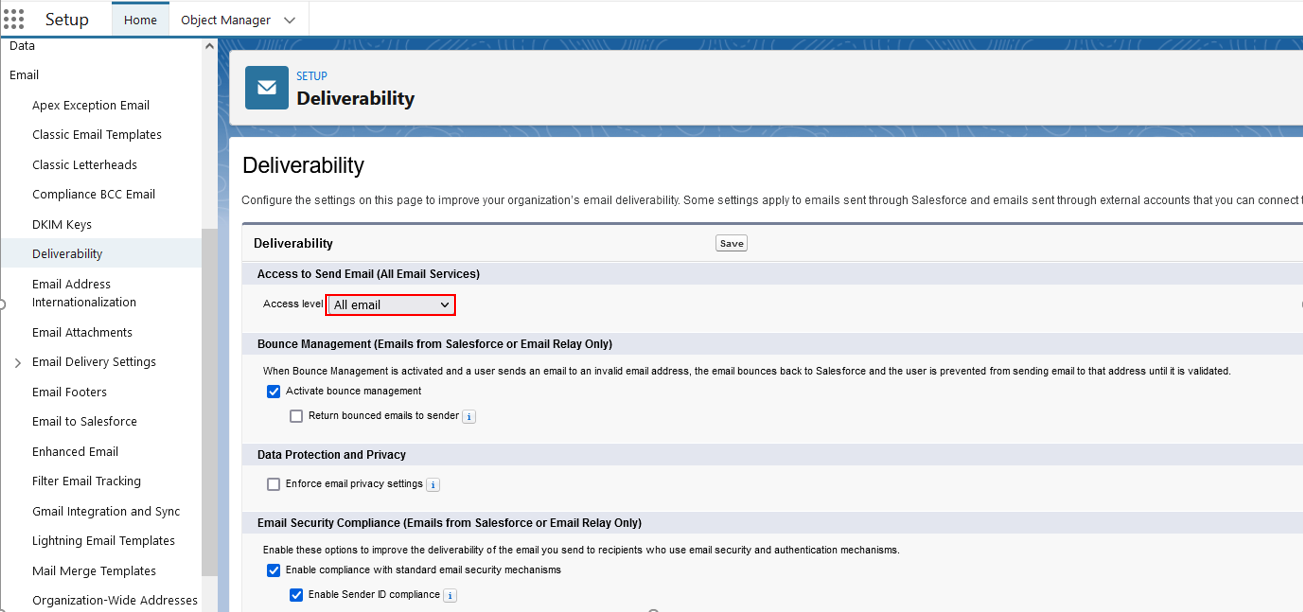
From Setup, select . And set Access to Send Email (All Email Services) to All email.
Figure 2: Access to Send Email