Setting up a support queue
Configure a support queue for cases.
Procedure
-
In the Queues overview page click
New.
Figure 1: Queues overview page 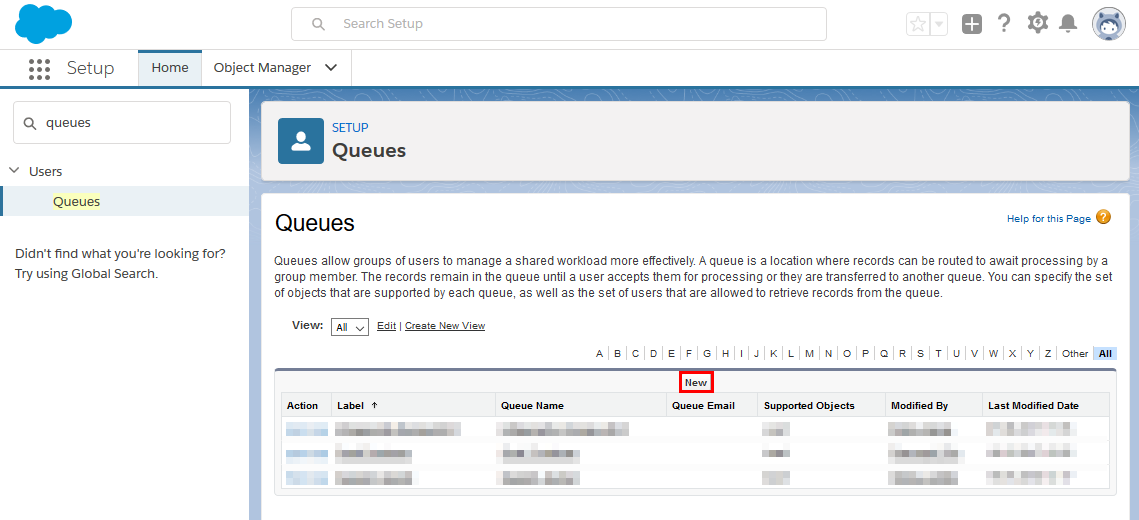
-
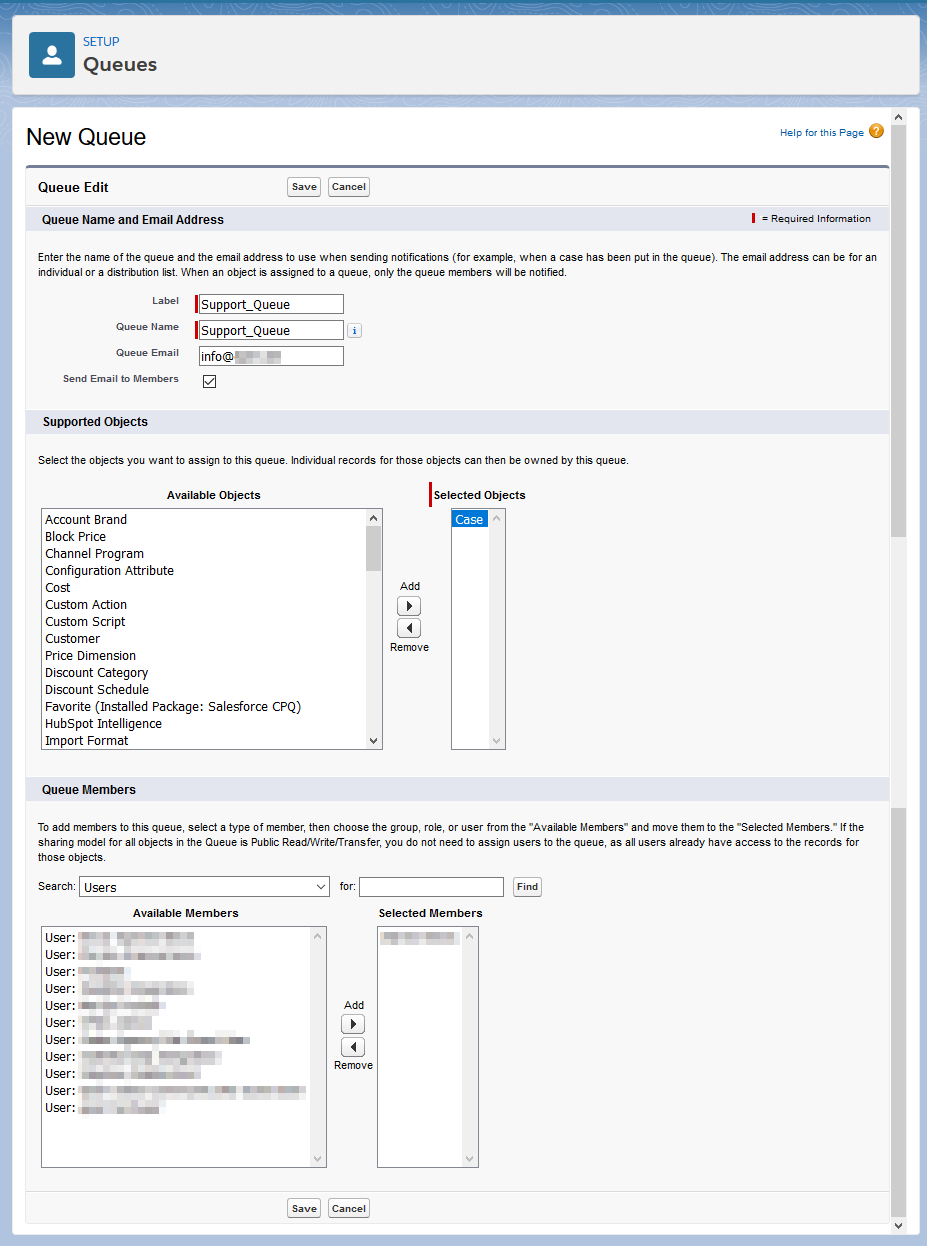
In the next page New Queue configure the settings as
shown in the example below:
Important: In the Queue Email field, do not use the same email address that you used as the routing email address for the Email-to-Case settings. Otherwise, it can happen that emails sent to the routing email address (= your support email address) cause endless notifications.
Figure 2: Configure new support queue