Customizing support settings
Customize the support settings.
Procedure
-
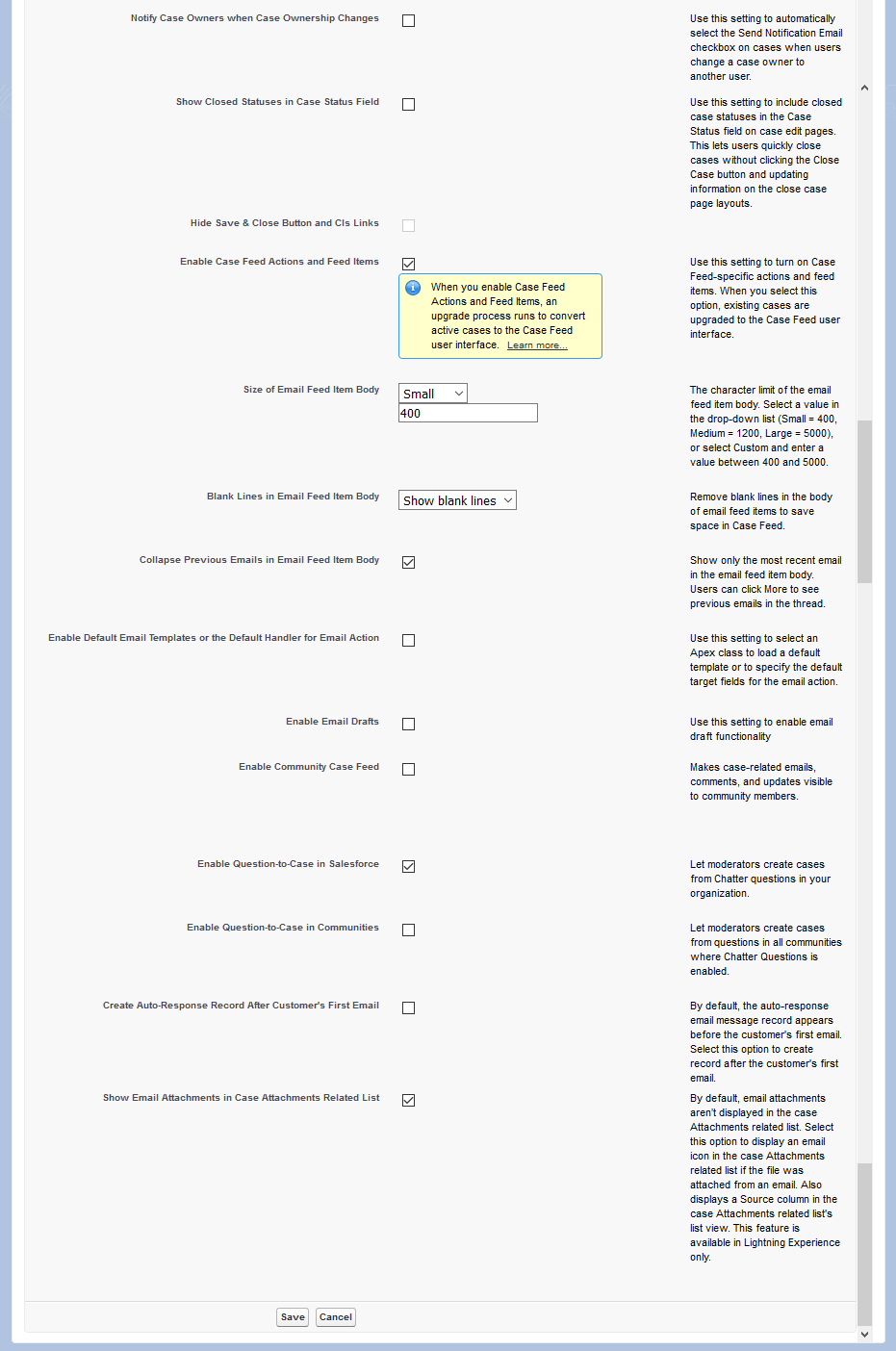
Configure the settings as shown in the example below:
Important: Make sure the Send Case Notifications from System Address option is disabled. Otherwise, case notifications will not be routed through the Postfix SMTP Relay and will not be decrypted.
Figure 1: Support settings page - part one 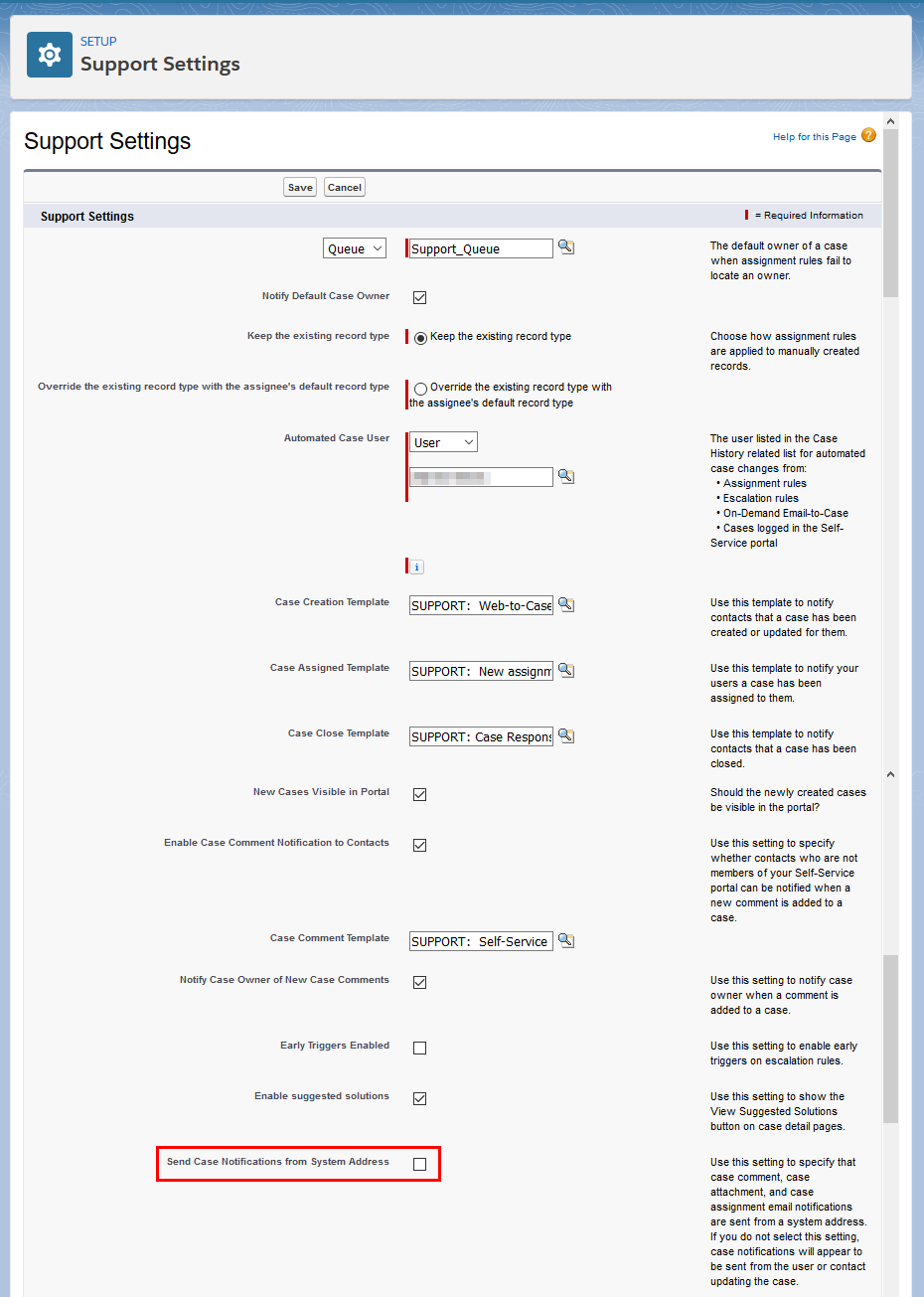
Figure 2: Support settings page - part two