
Condition
While accessing your SaaS application via the eperi sEcure Platform, the following
error message is displayed:
error:
ip-172-31-27-164
Processing your request failed.
Please contact your administrator and give him the request id
051548e3-59b1-4a75-85a9-22af229e4990Note: This is a generic
error and the actual numbers/codes will differ.
Remedy
Procedure
-
Confirm that the eperi sEcure Platform Reverse Proxy is running and is
listening on the correct port (check the proxy status on the
Dashboard of the eperi sEcure Platform Admin
Console). This will likely be port 443 for HTTPS. If you have recently
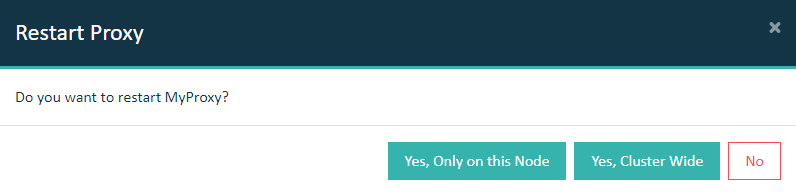
made configuration changes, then a restart of the proxy might be
necessary.
Important: In a cluster setup, the proxy must be restarted with
Cluster Wide option.
-
Check if the app settings in the eperi sEcure Admin Console
are correct. In the case of Salesforce, the Salesforce login
subdomain parameter of the Salesforce Reverse
Proxy App should be set to one of the following
depending on whether you are using a sandbox or production Org:
- test.salesforce.com (sandbox)
- login.salesforce.com (production or
development org)
-
If you are using the custom Salesforce 'My Domain' feature, you will
need to specify custom URL remappings in the Salesforce XML template.
eperi support will be able to assist you with these modifications to
support your custom Salesforce domain name.
-
The URL you use to connect to Salesforce in a web browser should be one
of those mentioned below:
- https://login.gatewayname.com: This will
map to either https://test.salesforce.com or
https://login.salesforce.com depending on whether you
are using a sandbox or production org.
- https://salesforce.gatewayname.com: This
will map to the custom mydomain setting such as
https://custom-mydomain.eu51.force.com.
-
In case of a cluster setup make sure that the respective adapter for
your SaaS application is installed on each eperi sEcure Platform node.
On Ubuntu for example you may check this using the following
command:
-
If the above does not resolve the issue, then the
catalina.out stack trace may provide further
details.