Initial login to Salesforce fails
Condition
The initial login to Salesforce fails. It's possible to get to the Salesforce login page via eperi sEcure Platform, but not any further.
Remedy
Procedure
-
As soon as you have fixed the configuration, request the user to remove
the relevant website from the browser history. Referring to Firefox, the
procedure is as follows (Excerpt from the online article Delete browsing, search and download
history on Firefox):
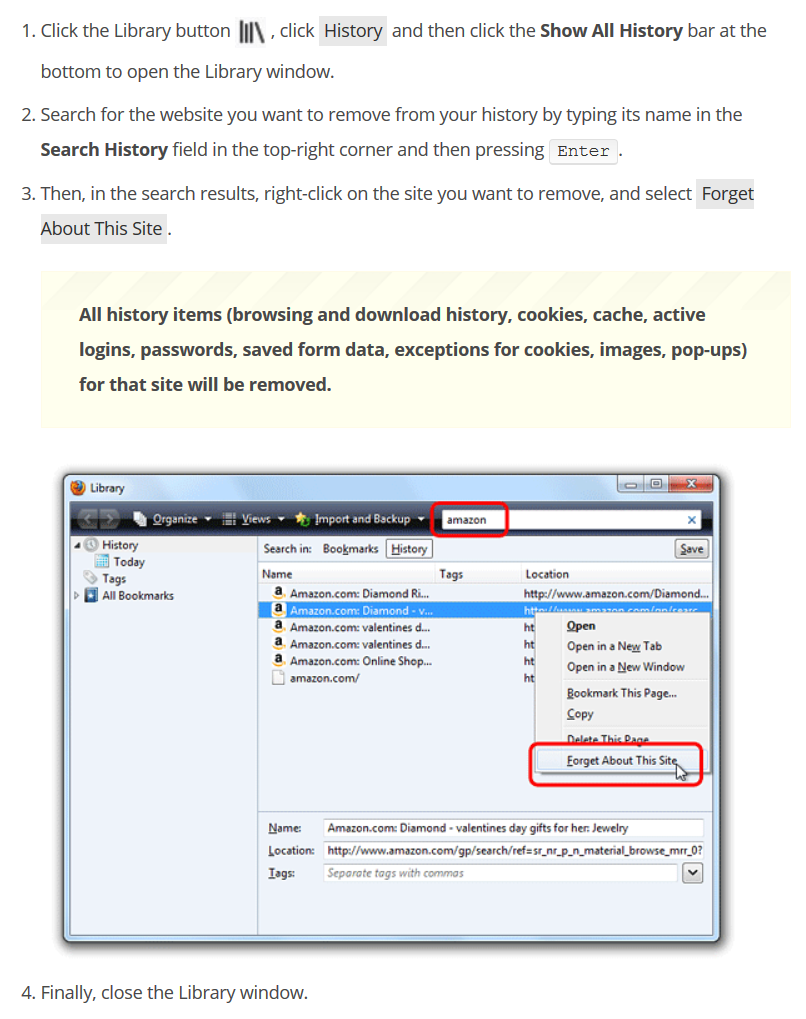
Figure 1: How to remove a single website from the Firefox history