
Salesforce Forward Proxy App (Production/Developer configuration)
This app is required if you set up the eperi sEcure Platform as forward proxy. It is the basic app that provides the main services for Salesforce. Here the configuration for a Production or Developer environment is described.
Dependency
None.
Settings
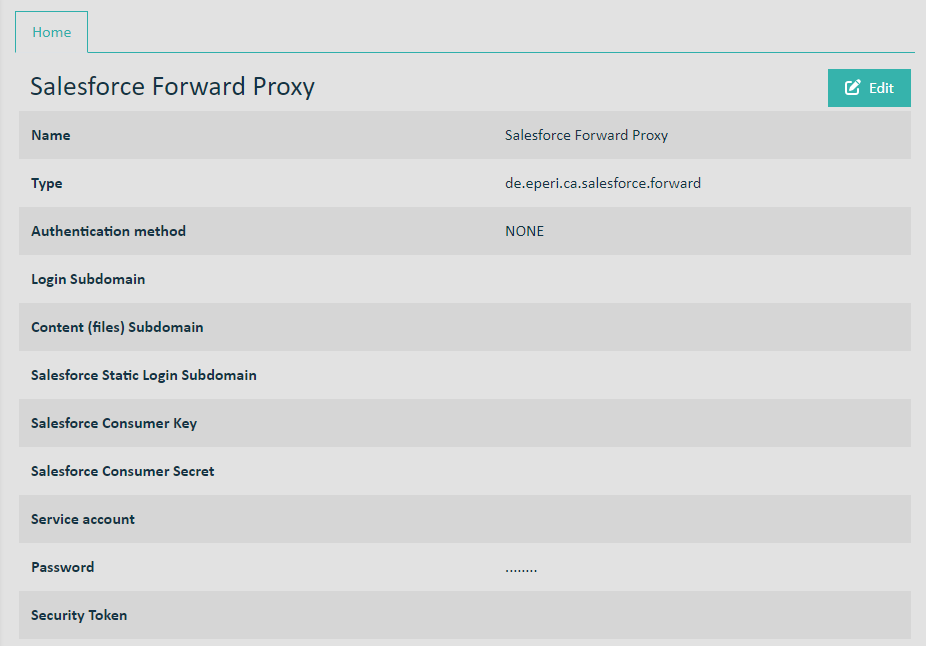
Name: See Standard settings for apps
Type: See Standard settings for apps
Authentication method: See Standard settings for apps
Salesforce subdomain: Enter the subdomain which is displayed in your profile after logging into your Salesforce org. For example:
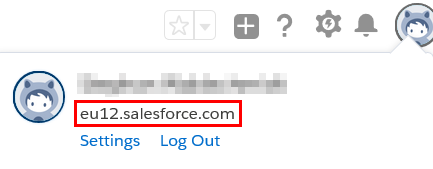
- Value before Spring '20 Release: c.<myInstance>.content.force.com, e.g. c.eu11.content.force.com
- Value from Spring '20 Release: c.documentforce.com, e.g. c.documentforce.com
Salesforce login subdomain: login.salesforce.com
Salesforce Consumer Key: The consumer key of the connected app inside your Salesforce org
Salesforce Consumer Secret: The consumer secret of the connected app inside your Salesforce org
Service account: The name of your Salesforce service account (An account with admin rights is recommended.)
Password: The password of your Salesforce service account
Security Token: Your Salesforce security token