
Salesforce Reverse Proxy App (Production/Developer configuration)
This app is required if you use the eperi sEcure Salesforce. It is the basic app that provides the main services for Salesforce. Here the configuration for a Production or Developer environment is described.
Dependency
None.
Settings
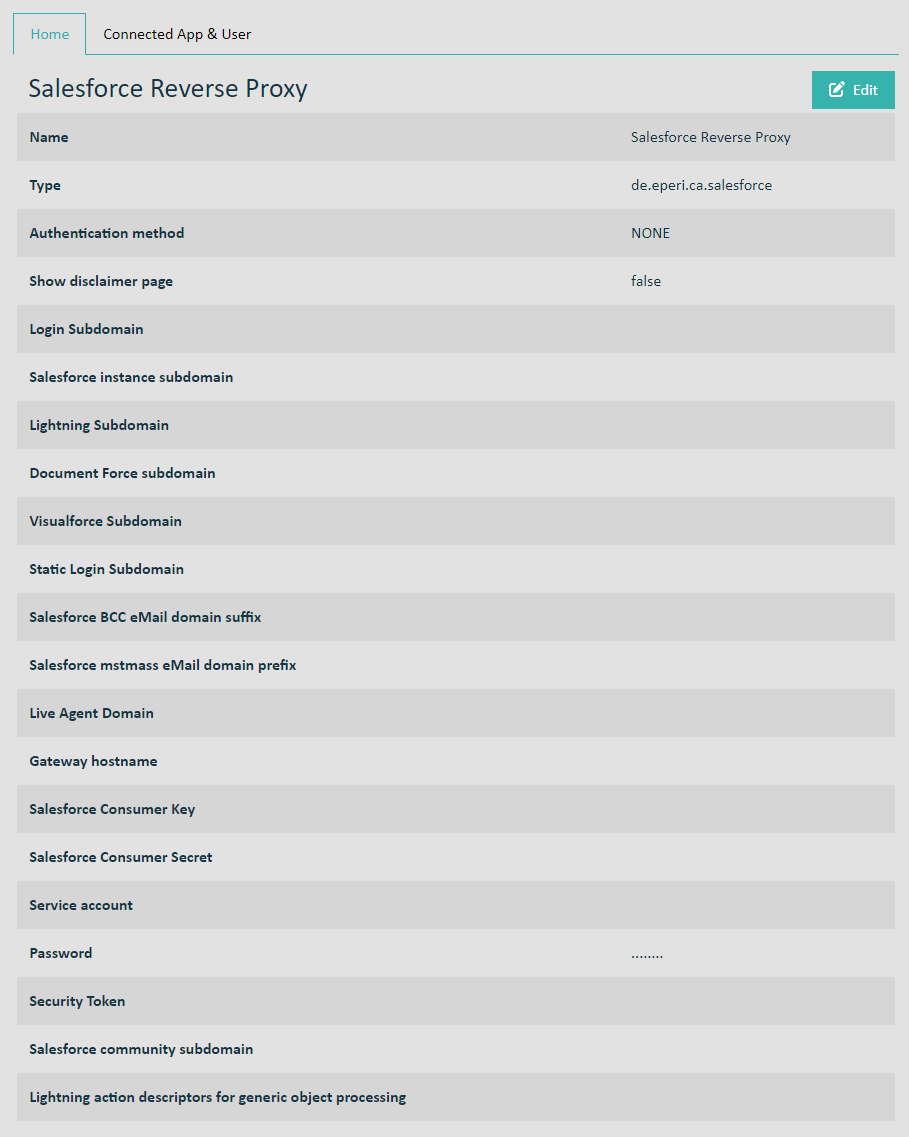
Name: See Standard settings for apps
Type: See Standard settings for apps
Authentication method: See Standard settings for apps
Show disclaimer page: Switch to activate a disclaimer page before the Salesforce login (see Activating a disclaimer page before Salesforce login (optional))
Salesforce subdomain: Enter the subdomain which is displayed in your profile after logging into your Salesforce org. For example:
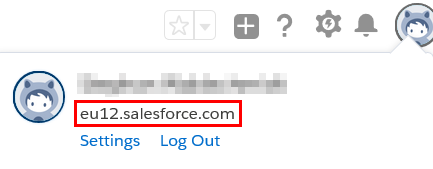
Salesforce instance subdomain: <myInstance>.salesforce.com, e.g. eu11.salesforce.com
Lightning Force subdomain: <myInstance>.lightning.force.com, e.g. eu11.lightning.force.com
- Value before Spring '20 Release: c.<myInstance>.content.force.com, e.g. c.eu11.content.force.com
- Value from Spring '20 Release: c.documentforce.com, e.g. c.documentforce.com
- Value before Spring '20 Release: c.<myInstance>.visual.force.com, e.g. c.eu11.visual.force.com
- Value from Spring '20 Release: c.visualforce.com, e.g. c.visualforce.com
Salesforce login subdomain: login.salesforce.com
Salesforce BCC eMail domain suffix: <myInstance>.le.salesforce.com, e.g. eu11.le.salesforce.com
Salesforce mstmass eMail domain prefix: mstmass.<myInstance>, e.g. mstmass.eu11
Live Agent Domain: Your custom Live Agent Domain name. This parameter is only required, if you are using the Salesforce Omni-Channel feature. Otherwise, please do not enter anything.
Gateway hostname: Hostname of your eperi sEcure Platform instance, e. g. secure-salesforce.com.
Salesforce Consumer Key: The consumer key of the connected app inside your Salesforce org
Salesforce Consumer Secret: The consumer secret of the connected app inside your Salesforce org
Service account: The name of your Salesforce service account (An account with admin rights is recommended.)
Password: The password of your Salesforce service account
Security Token: Your Salesforce security token
Salesforce community subdomain: The domain name for Communities in your organization, as displayed in your Salesforce org under , e.g. myCompany.force.com. If you don't have or need a Salesforce community, please enter No Community into this field. Please enter only No Community, and nothing else. Specifically do not enter something which is also a subdomain for Salesforce like the word "test".
Lightning action descriptors for generic object processing: Please do not enter anything. Here only something must be entered in consultation with eperi for certain use cases.