
Salesforce Community Lightning Reverse Proxy App (Sandbox configuration)
This app is required if you want a Salesforce Community Lightning Experience Site to be tokenized/encrypted by eperi sEcure Platform. Here the configuration for a Sandbox environment is described.
Dependency
Requires the Salesforce Reverse Proxy App (Sandbox configuration).
Settings
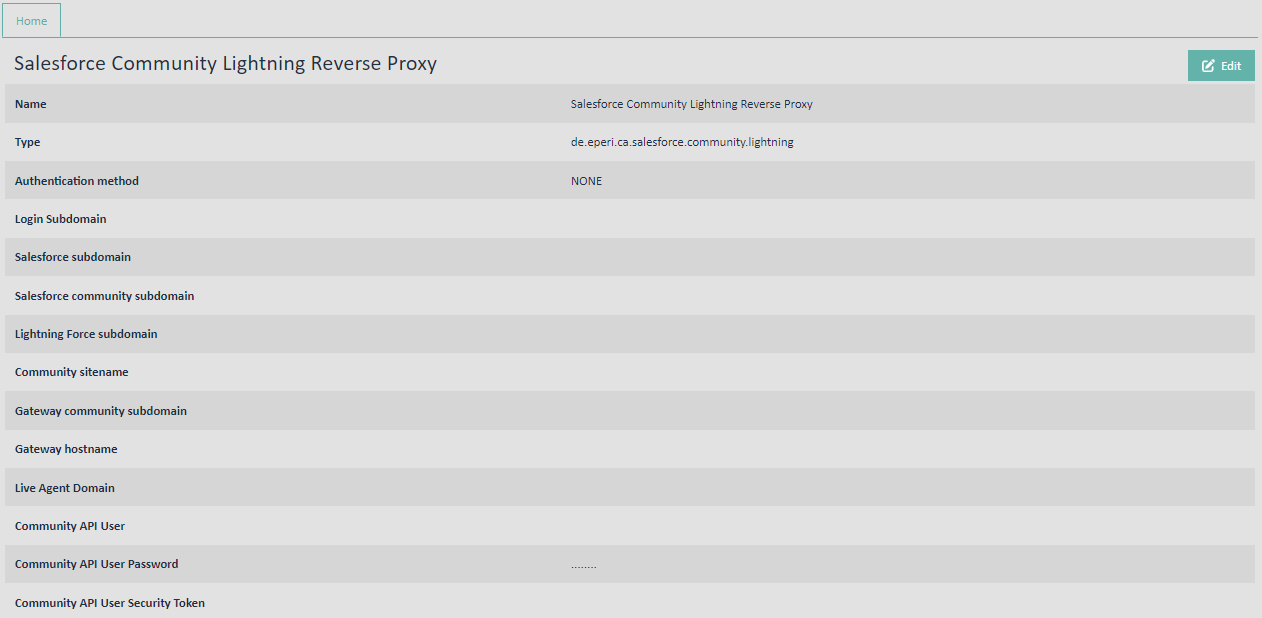
Name: See Standard settings for apps
Type: See Standard settings for apps
Authentication method: See Standard settings for apps
Login subdomain: <myCompanyName>--<sandboxName>.sandbox.my.salesforce.com, e.g., eperi--qa.sandbox.my.salesforce.com
Salesforce subdomain: .<myInstance>.salesforce.com, e.g., cs99.salesforce.com
Salesforce community subdomain: Please refer to: My Domain URL Formats
Lightning Force subdomain: Please refer to: My Domain URL FormatsCommunity sitename: The last part of your community URL, e.g., /customers, if your Community URL is for example qa-eperi.cs99.force.com/customers. If your Community URL is just the domain name for Communities, e.g., qa-eperi.cs99.force.com, then just enter a / (slash).
Gateway community subdomain: The hostname of your eperi sEcure Platform instance with the prefix community, e.g., community.secure-salesforce.com.
Gateway hostname: The hostname of your eperi sEcure Platform instance, e.g., secure-salesforce.com.
Live Agent Domain: Your custom Live Agent Domain name. This parameter is only required, if you are using the Salesforce Omni-Channel feature. Otherwise, please do not enter anything.- Generating access tokens for external community user
- Querying metadata for external community user
Community API User Password: The password of the Community API User.
Community API User Security Token: The security token of the Community API User.