
Creating new encryption keys
You have the option to create a set of 10,000 new encryption keys that can be used in random key mode.
Before you begin
- The administrator permission Key Rotation Settings is required. By default, this permission is only assigned to the following roles: Global Administrator and Key Manager.
- We recommend setting the key rotation to Choose a random key per encryption
About this task
Note: Creating new keys too frequently can impair the performance of the eperi sEcure Platform.
Procedure
-
Click the + New button.
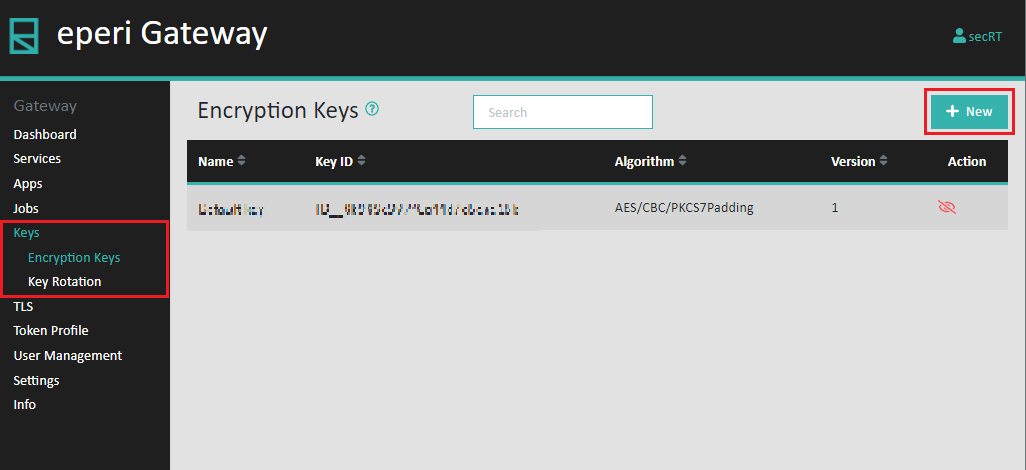
-
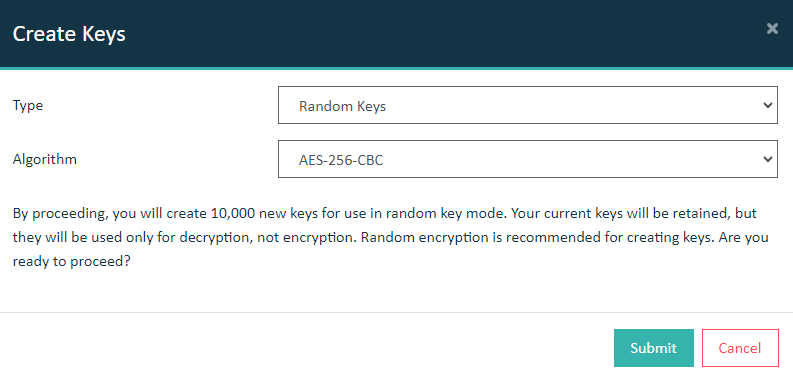
Choose the encryption key type and algorithm from the following choices:
Type
- Random Keys
- Luna HSM
- Utimaco HSM
Algorithm- AES-256-CBC
- AES-256-GCM (new)
Results
Note: The new encryption keys are not displayed in the Keys section of the Keys tab.