
Setting the key rotation
In the section you define, which encryption keys should be used for encryption transactions.
Procedure
-
Click Key Rotation.
Figure 1: Key rotation settings 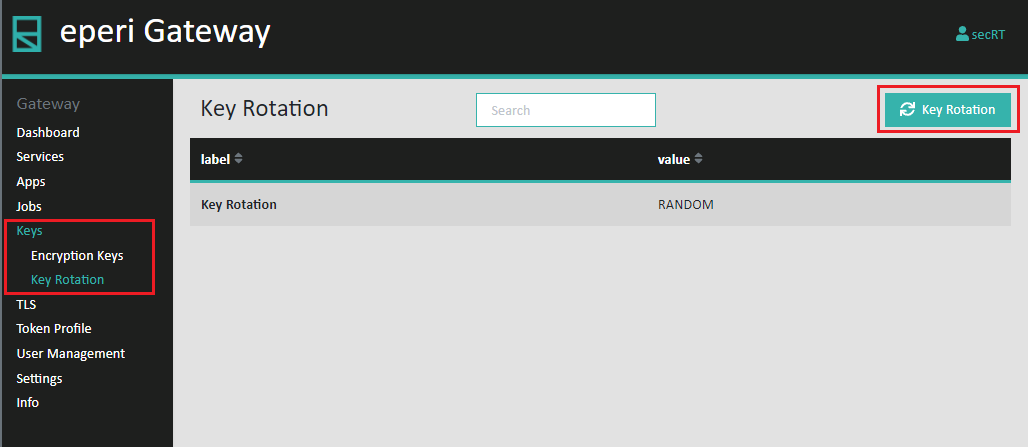
-
In the Encryption Key drop down menu configure the
desired key rotation option and then click Apply.
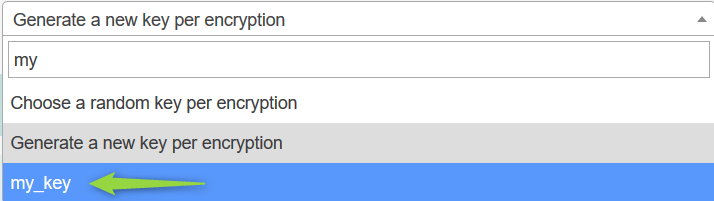
Option Description Choose a random key per encryption With this option, the eperi sEcure Platform will randomly use a key from the list of automatically generated keys for every encryption transaction. Generate a new key per encryption For each encryption operation a new encryption key is generated and used. Use an existing key Choose an encryption key that you have previously added using the New Key function (As of release 19.15.1.0 this function is omitted). To configure such a key, start typing the key name in the input field, then select it from the drop down menu. Example:
 Important: To be noted in a cluster setup: Each time you change the Key rotation settings, you must restart all eperi sEcure Platform instances except the one where you have changed the setting. This causes the internal key cache to be cleared.