You need the Salesforce domain name (and optionally the
Salesforce Community domain name) of your Salesforce org.
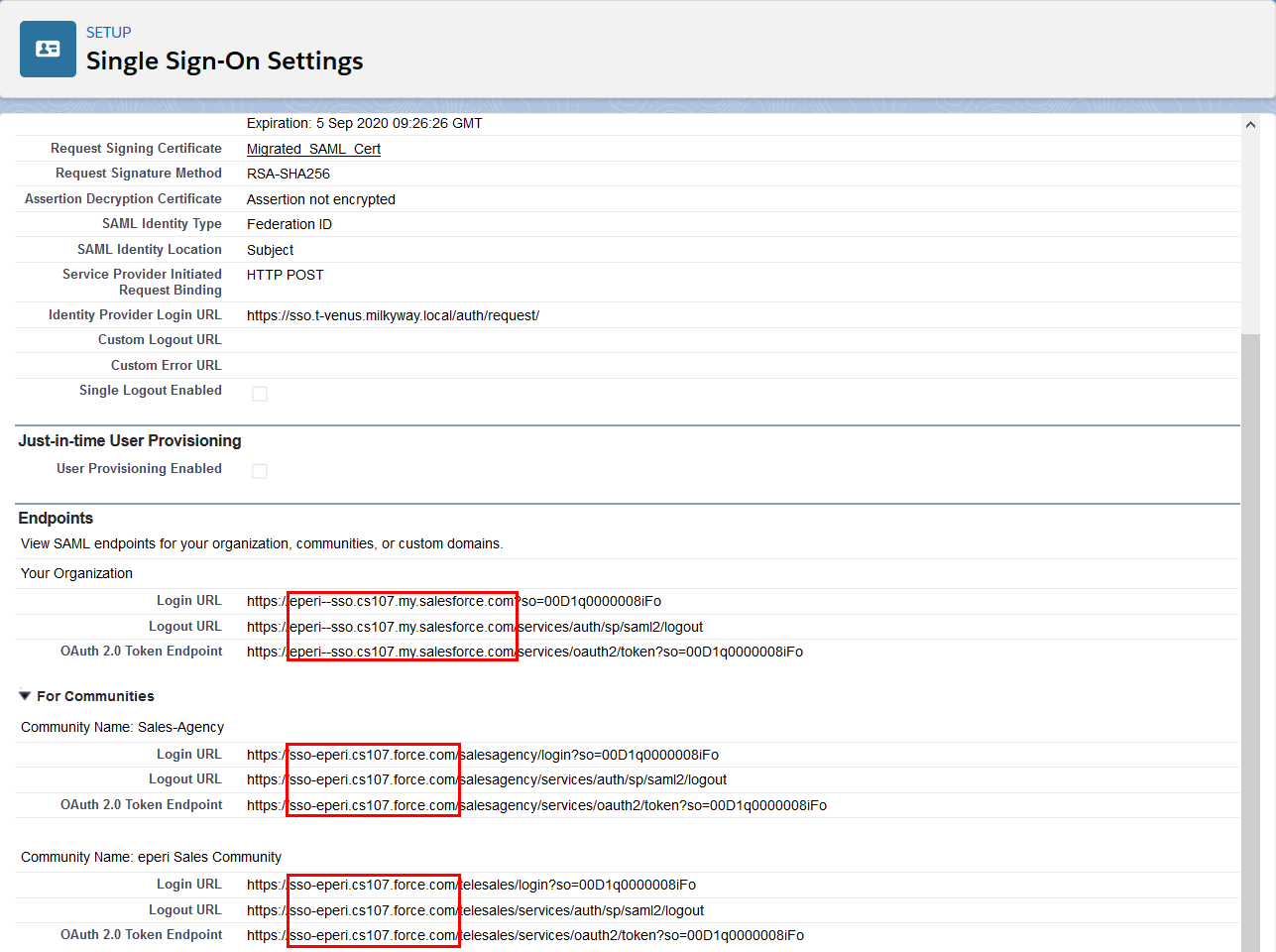
You can view the domain name
in the Salesforce setup by selecting Setup > Single Sign-On Settings > View SAML Single Sign-On Settings of entry "sso" > Endpoints. The domain name is contained in the URL's displayed in the
Endpoints section.Figure 1: Salesforce Single Sign-On Settings - View SAML endpoints
Procedure
Switch to the eperi sEcure Admin Console and select SSO Proxy > Rewriting Rules.
Click New Rewriting Rule.
In the pop up menu enter your Salesforce domain name as Regex
value.
For example, if your Salesforce domain name is
eperi--sso.cs107.my.salesforce.com then enter
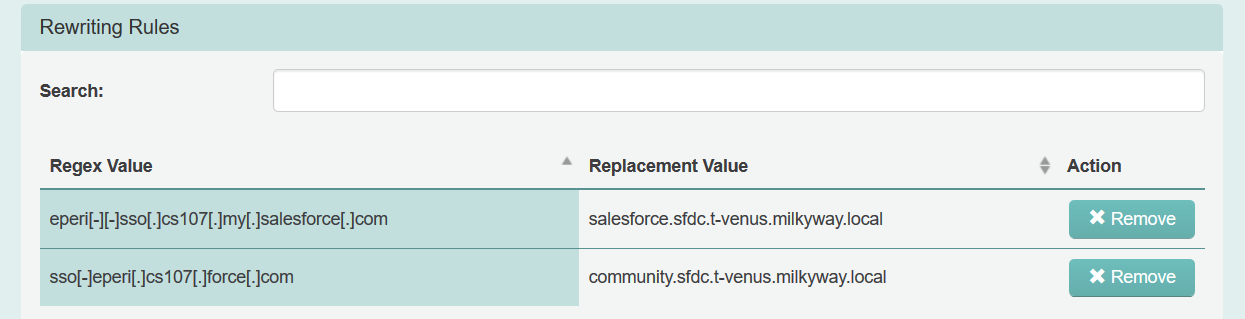
eperi[-][-]sso[.]cs107[.]my[.]salesforce[.]com
As Replacement value enter
salesforce.<Gateway hostname>, e.g.
salesforce.sfdc.t-venus.milkyway.local
Click OK.
If you use Salesforce Community with the eperi sEcure Platform, add an additional
rewriting rule for your Salesforce Community domain:
Click New Rewriting Rule.
In the pop up menu enter your Salesforce Community domain name as
Regex value.
For example, if your Salesforce Community domain name is
sso-eperi.cs107.force.com then enter
sso[-]eperi[.]cs107[.]force[.]com
As Replacement value enter
community.<Gateway hostname>, e.g.
community.sfdc.t-venus.milkyway.local
Note: The actual domain name depends on your Salesforce Community
setup.
Click OK.
Figure 2: Rewriting Rules configured in the eperi sEcure Platform
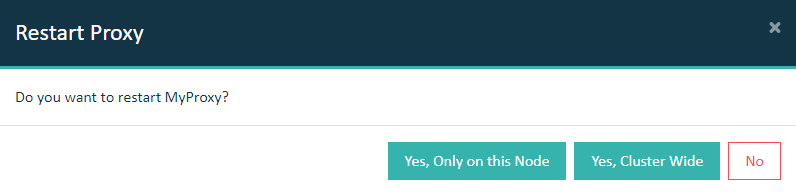
Select the Dashboard tab and restart the reverse
proxy.
Important: In a cluster setup, the proxy must be restarted with Cluster Wide option.
Results
You have successfully configured Single Sign-On for your
Salesforce org in conjunction with the eperi sEcure Platform.
Important: The new URL
for users who log into Salesforce via the eperi sEcure Platform with SSO is
https://salesforce.<gateway-hostname>. In the
Salesforce setup you can set that a log in without SSO via
https://login.<gateway-hostname> is no longer
possible.