
Configuring Single Sign-On for your Salesforce org (optional)
Learn step-by-step how to set up SSO for Salesforce with the eperi sEcure Platform and ADFS.
As of Release 3.18.11, the eperi sEcure Platform supports Salesforce SSO with SAML 2.0
and ADFS as identity provider. Both Service Provider- and Identity Provider-initiated
Single-Sign-On are supported.
Important: Please note that creating a My
Domain in Salesforce is required before you can use Single sign-on (SSO)
with external identity providers.
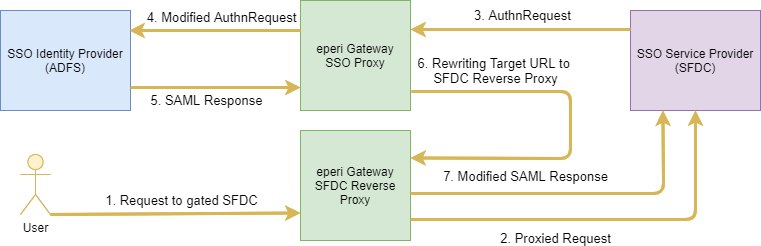
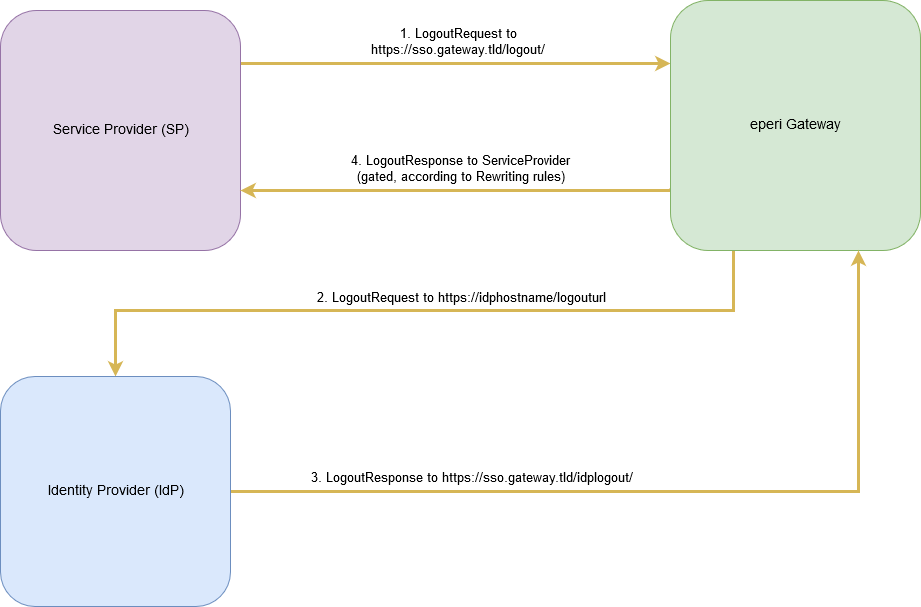
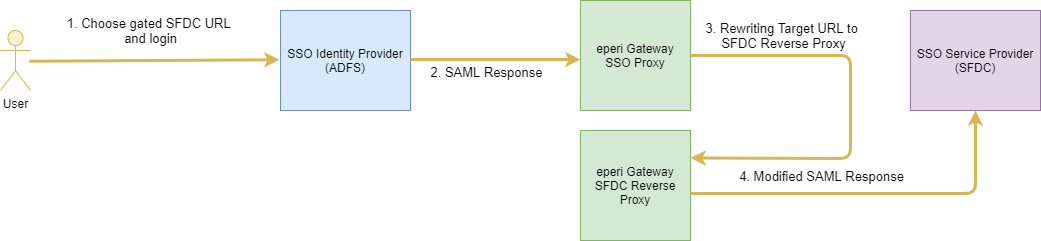
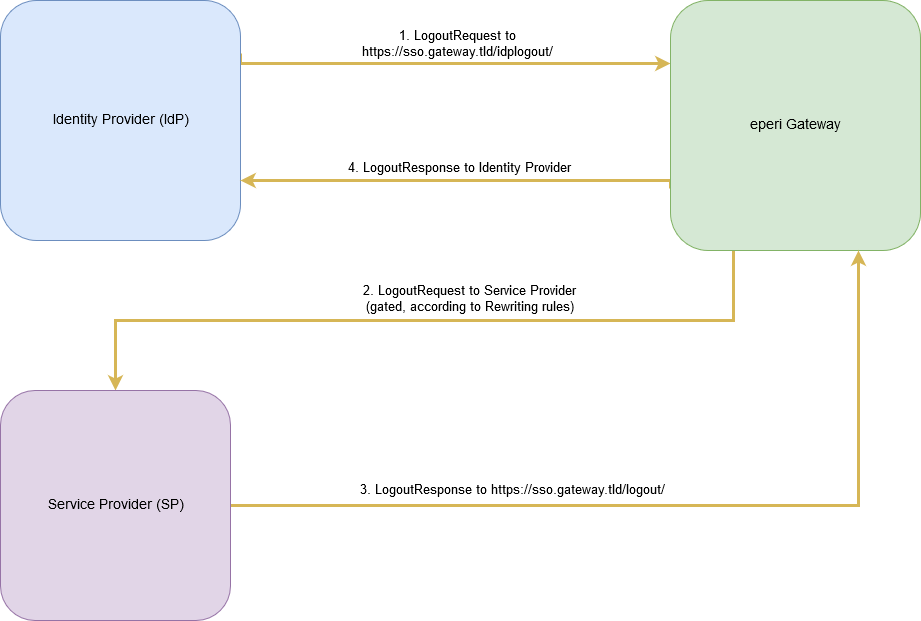
After successful configuration, the SSO process is performed as shown below.
Service Provider-initiated SSO
Single Sign-On process:
Single Logout process:
Identity Provider-initiated SSO
Single-Sign-On process:
Single Logout process:
Sequence of the configuration
The following diagram illustrates the sequence of the configuration.
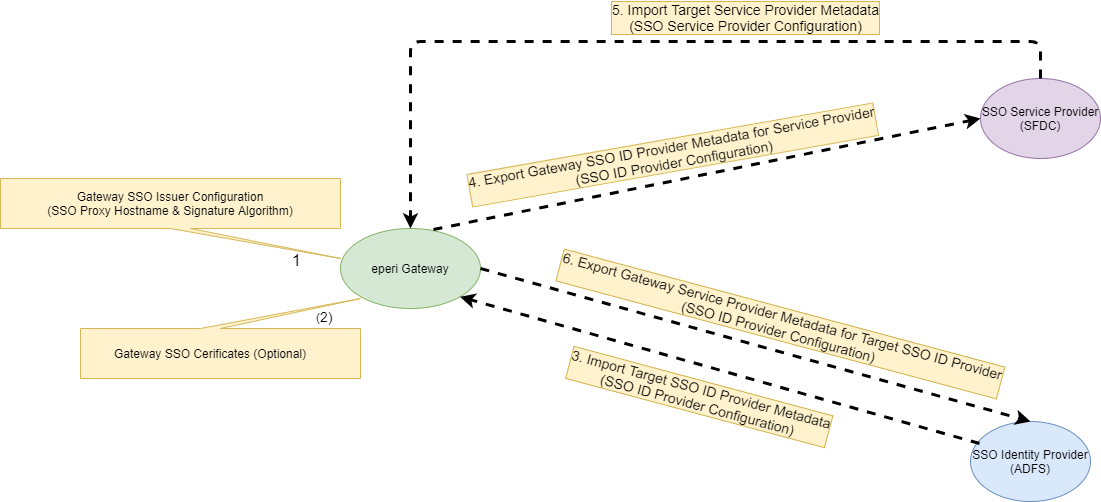
Perform the configuration using the steps described below.