Importing metadata from ADFS into eperi sEcure Platform

Download the metadata from your ADFS server and import it into eperi sEcure Platform.

Procedure

  1. Open a web browser and enter the following URL (replace myserver.domain.com with the hostname of your ADFS server): https://myserver.domain.com/FederationMetadata/2007-06/FederationMetadata.xml
  2. Download the FederationMetadata.xml file.
  3. Switch to eperi sEcure Admin Console and select SSO Proxy > SSO ID Provider Configuration.
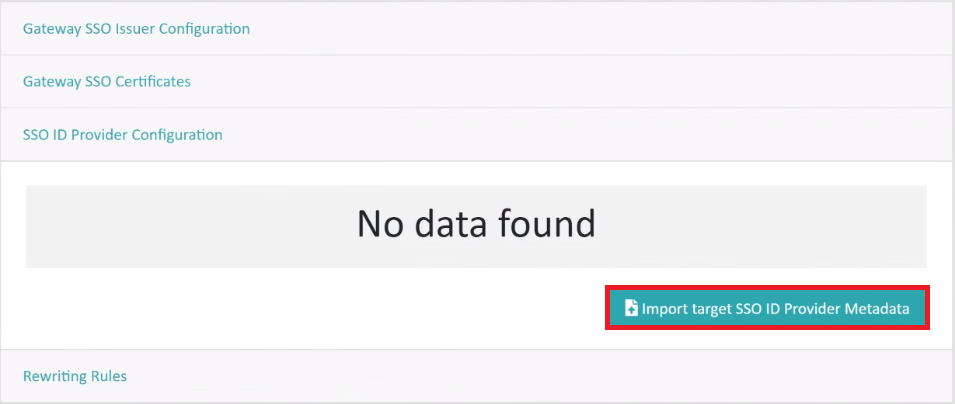
  4. Click Import target SSO ID Provider Metadata.
    Figure 1: Import target SSO ID Provider Metadata
    Import target SSO ID Provider Metadata
  5. In the pop up dialog select the FederationMetadata.xml file previously downloaded from your ADFS server.
  6. Click OK.

Results

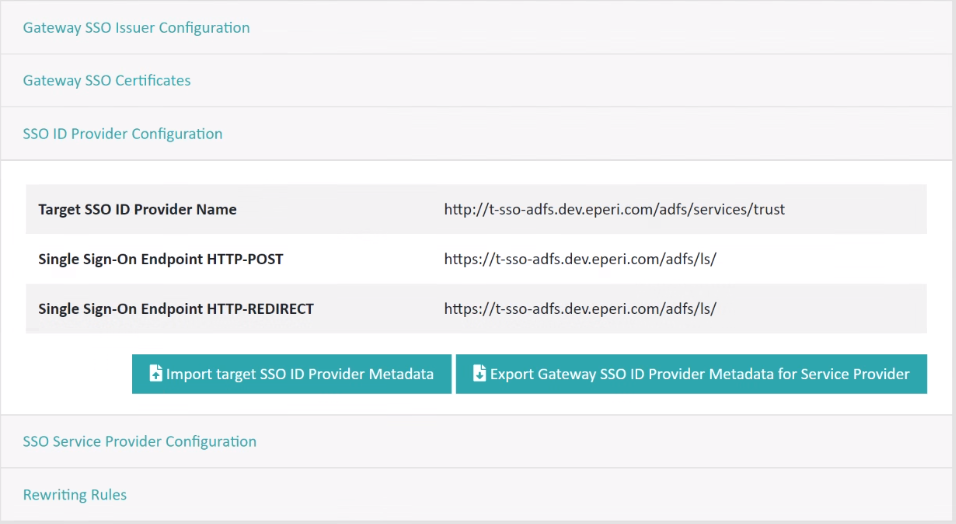
Information about the ADFS server and the new button Export eperi sEcure Platform SSO ID Provider Metadata for Relying Party Trust are displayed.
Figure 2: SSO ID Provider Configuration
SSO ID Provider Configuration