
Master Key settings
Select to view and change the current Master Key method.
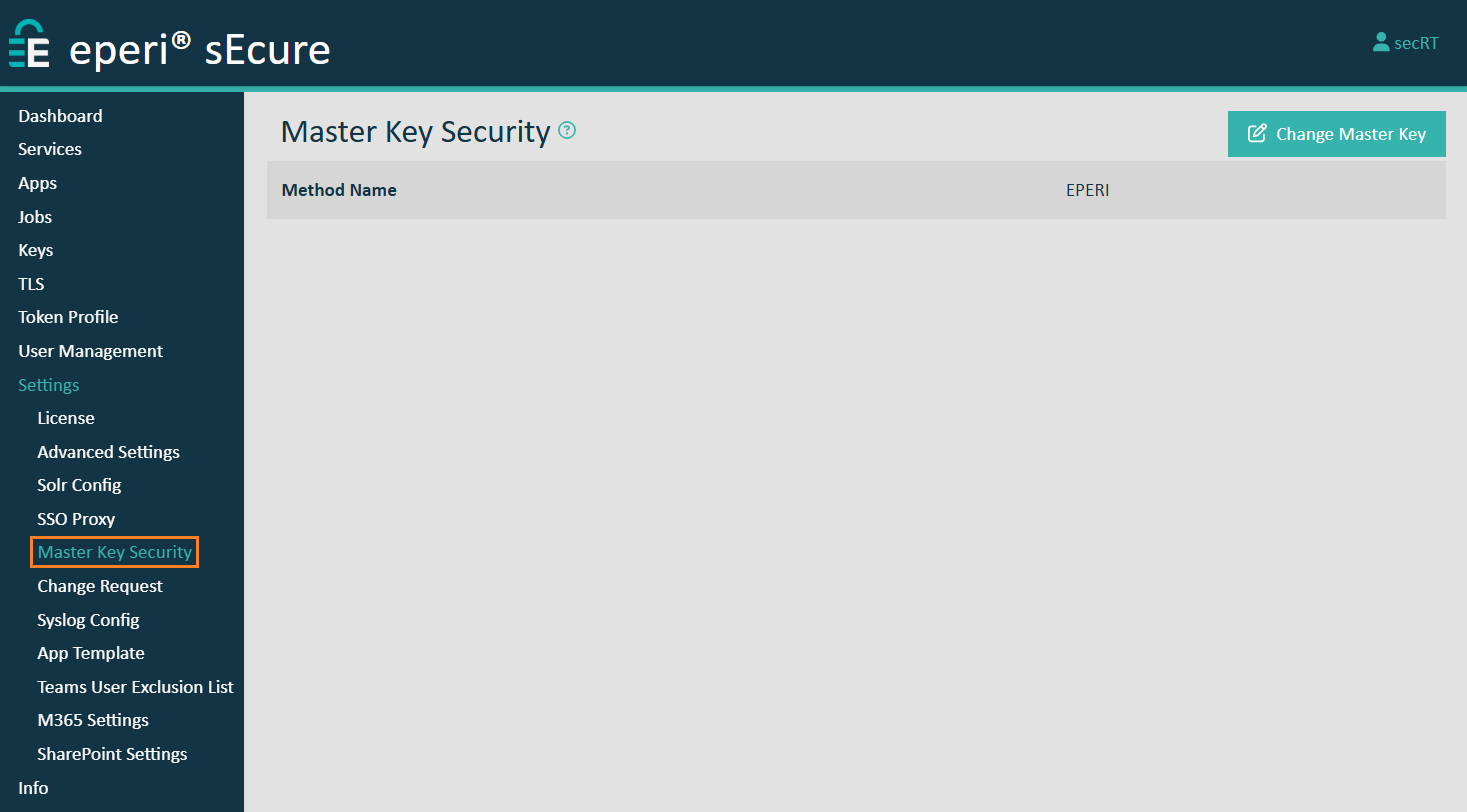
The eperi sEcure Platform uses the Master Key to encrypt eperi sEcure Platform's system keys. With the system keys sensitive data in the eperi sEcure Platform database (such as encryption keys and configuration data) is encrypted.
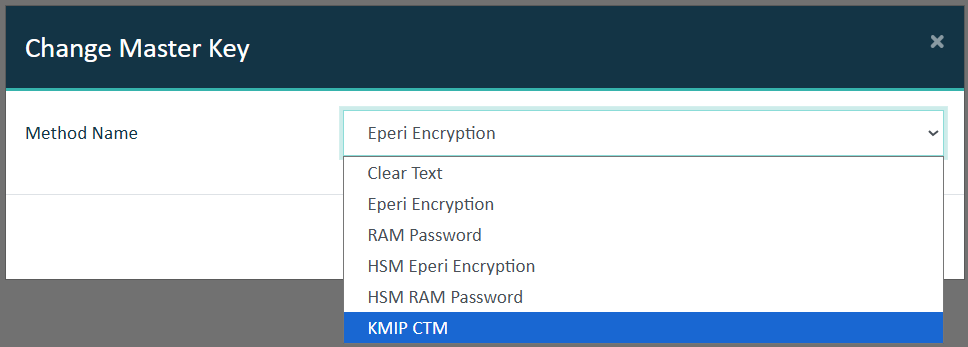
To change the Master Key method, select the desired method, provide required information, then click Submit.
| Option in CLI tool | Option in Admin Console | Description |
|---|---|---|
| EPERI | Eperi Encryption | Choose this method to encrypt the system keys with eperi sEcure Platform's encryption feature. |
| RAM | RAM Password | Choose this method to encrypt the system keys with your own password.
This password is kept only in memory and must be entered on each start of eperi sEcure Platform.
Important:
If you intend to use this Master Key method, a modern OS is needed, for example CentOS/RHEL 8 or Ubuntu 18 LTS / 20.04 LTS.
The eperi user needs permissions to use systemd-tty-ask-password-agent in order to prompt for the RAM password.
Use setfacl to grant the eperi user the necessary permissions for this purpose:
sudo setfacl -m u:eperi:wx /run/systemd/ask-password |
| CLEAR_TEXT | Clear Text | Choose this method to store the system keys unencrypted in the database. In this case, we recommend to protect the system keys with the vendor-specific database encryption. We also recommend to protect the file /opt/eperi/gateway/tomcat/webapps/ROOT/etc/database.conf with proper operating system access control mechanisms since the connection credentials for the eperi sEcure Platform database are stored in the clear inside this file. |
| HSMEPERI | HSM Eperi Encryption | Choose this method to protect the system keys with an HSM. The HSM
credentials are encrypted with eperi sEcure Platform's encryption
feature. Additionally, it is required to enter the credentials of your HSM (see below). |
| HSMRAM | HSM RAM Encryption | Choose this method to protect the system keys with an HSM. The HSM
credentials are encrypted with your own password which is kept in memory
and must be entered after each start of eperi sEcure Platform. In case you have
selected this option, you are prompted to enter the RAM Password
twice. Additionally, it is required to enter your HSM credentials (see below). |
| KMIP_CTM | KMIP CTM | Choose this method to protect the system keys with KMIP CTM.
KMIP is a protocol that supports various key management activities, such as key generation, distribution, and deletion.
It also provides interoperability between different key management systems and clients.
CipherTrust Manager (CTM) is part of the Thales CipherTrust Data Security Platform.
With KMIP CTM, CipherTrust Manager stores and administers the master key, which is accessed via KMIP. |
| N/A | Hardware Security Module | Choose this method to protect the system keys with an HSM.
Please make sure the eperi sEcure Platform server can connect to the HSM by following these steps first:
|
To change the Master Key method in a cluster setup, please follow the instructions in section Changing the Master Key method in a cluster setup.