Activating the approval process for a menu tab

Activate (or deactivate) an approval process for a certain tab in the main menu of the Admin Console.

Before you begin

To activate or deactivate an approval process for certain menu tabs, the Administrator role Permission Manager or Global Administrator is required.

Procedure

  1. In the eperi sEcure Admin Console select Settings > Change Request.
  2. Activate the approval process for the desired Category (e.g. Key_Management) by clicking the Activate button.
    Figure 1: Activate Change Requests
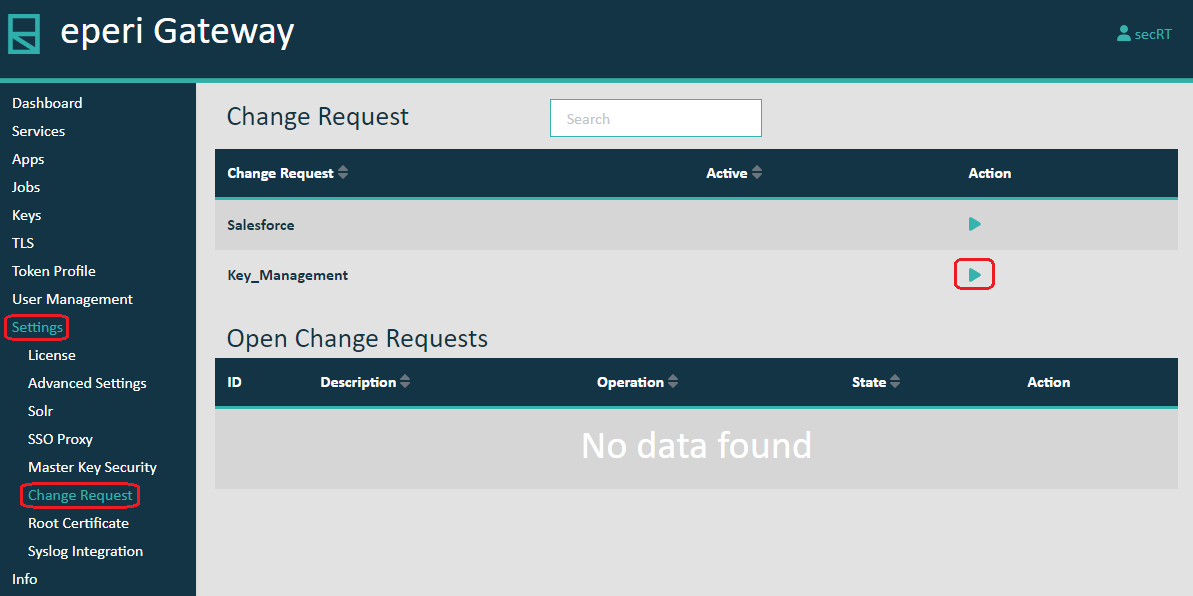
    Activate Change Requests

Results

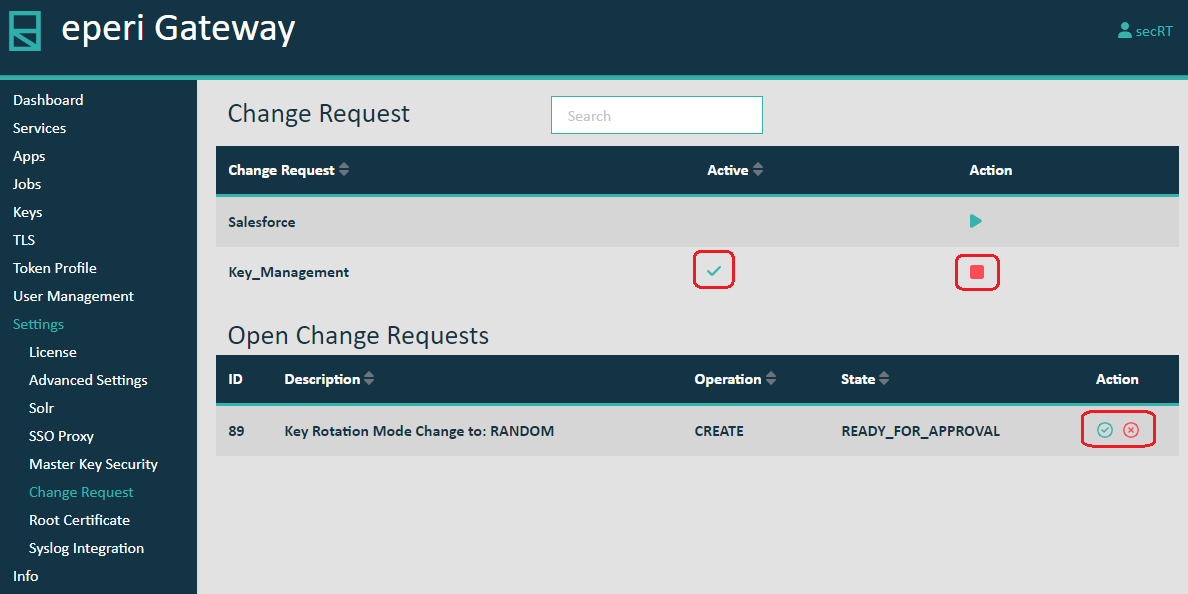
You have successfully activated the approval process for the desired Category and the Change Request is now displayed as Active. A change made in the respective setting is displayed under Open Change Request and requires an approval by another administrator (with the permission Approve or Reject Change Request). As long as a change request has not yet been approved, it can be withdrawn.
Figure 2: Pending change request
Pending change request

What to do next

If the approval process for a Category is no longer needed, it can be deactivated under Open Change Requests list. The prerequisite is that there are no open change requests for the corresponding Category.