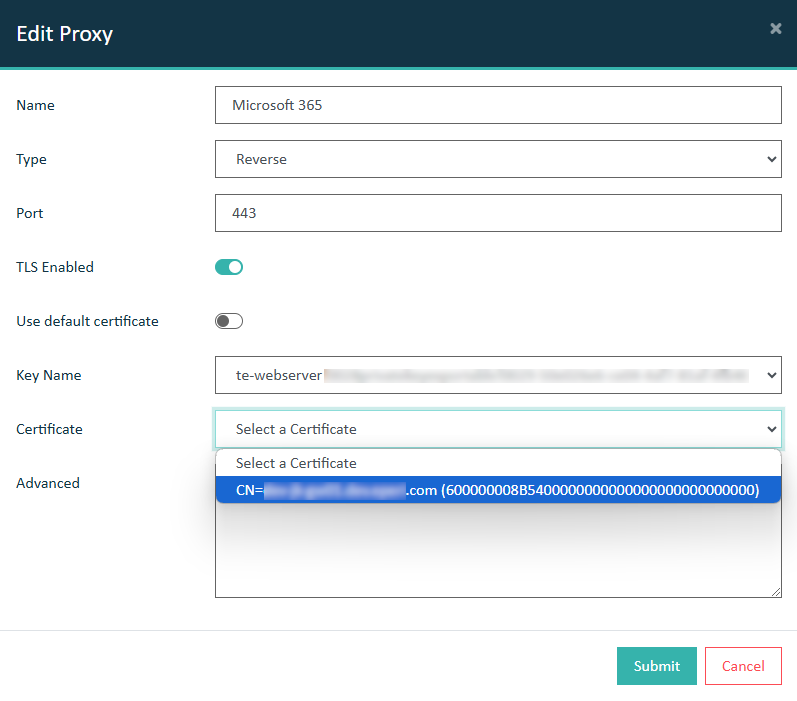
Select a Server TLS Key
Invoke the Edit Proxy dialog to assign a PKI SSL Certificate to a proxy. This is required to ensure that all communication between the end user and the eperi sEcure Platform is fully encrypted.
Before you begin
- Create a PKCS #12 key store as described in Creating a PKCS#12 key store from a PKCS#7 certificate bundle.
- Import the PKCS #12 key store as described in Importing a PKCS #12 key store.
Procedure
-
From the Key Name dropdown, select the private key of your PKCS #12 key store.
Figure 1: Proxy - Select private key 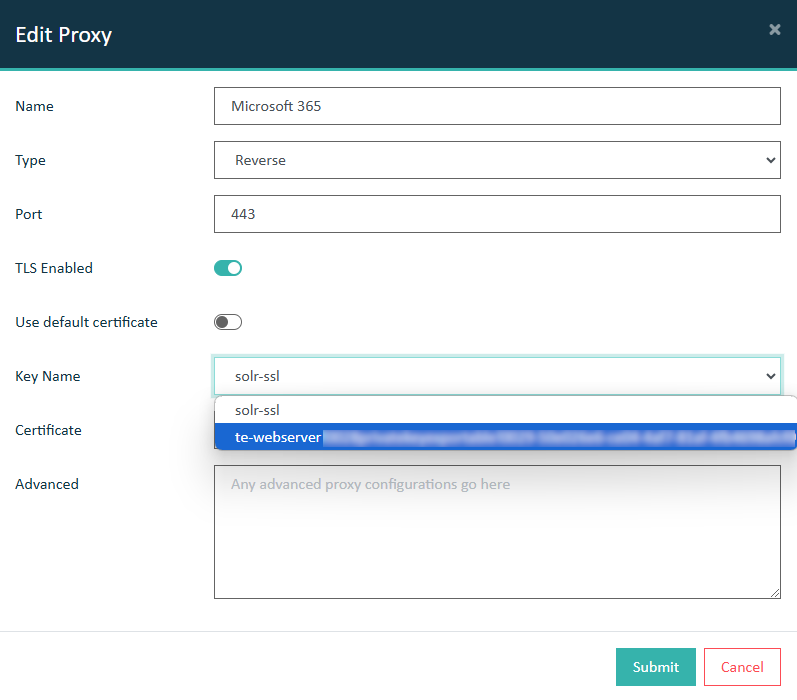
-
From the Certificate dropdown, select the certificate of your PKCS #12 key store.
Figure 2: Proxy - Select certificate