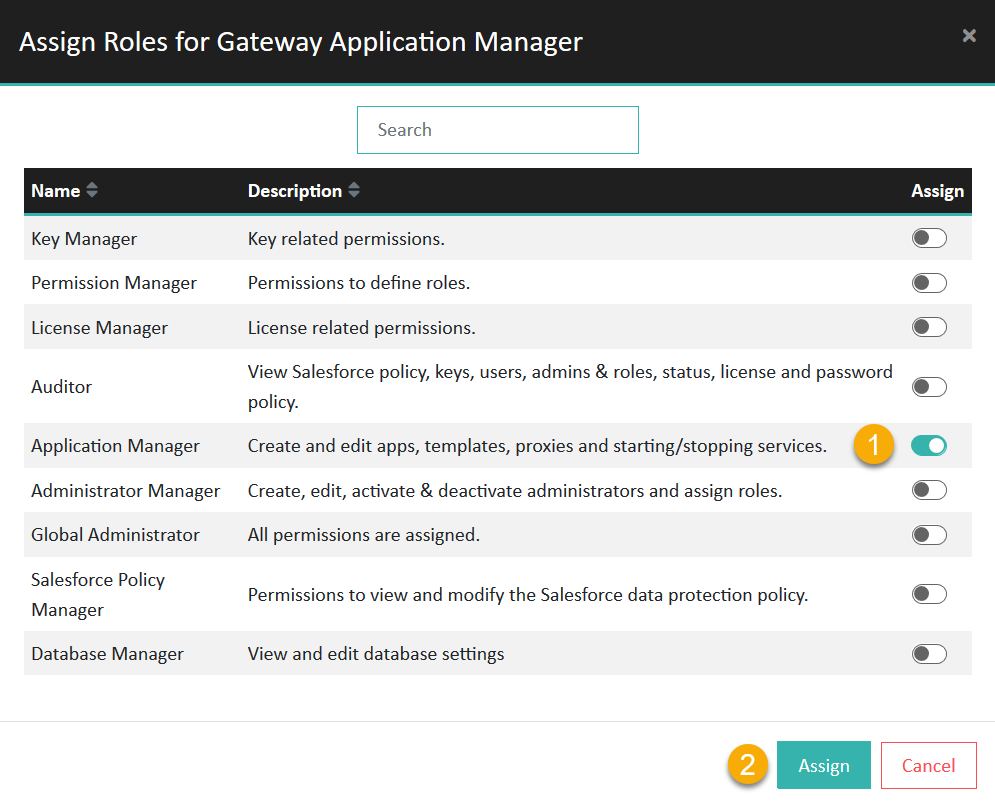
Mapping an AD group to administrator roles
Map a group in your Active Directory to one or more administrator roles in eperi sEcure Platform.
Before you begin
Procedure
-
Click + New in the upper right corner.
Figure 1: Admin Console - AD Mapping 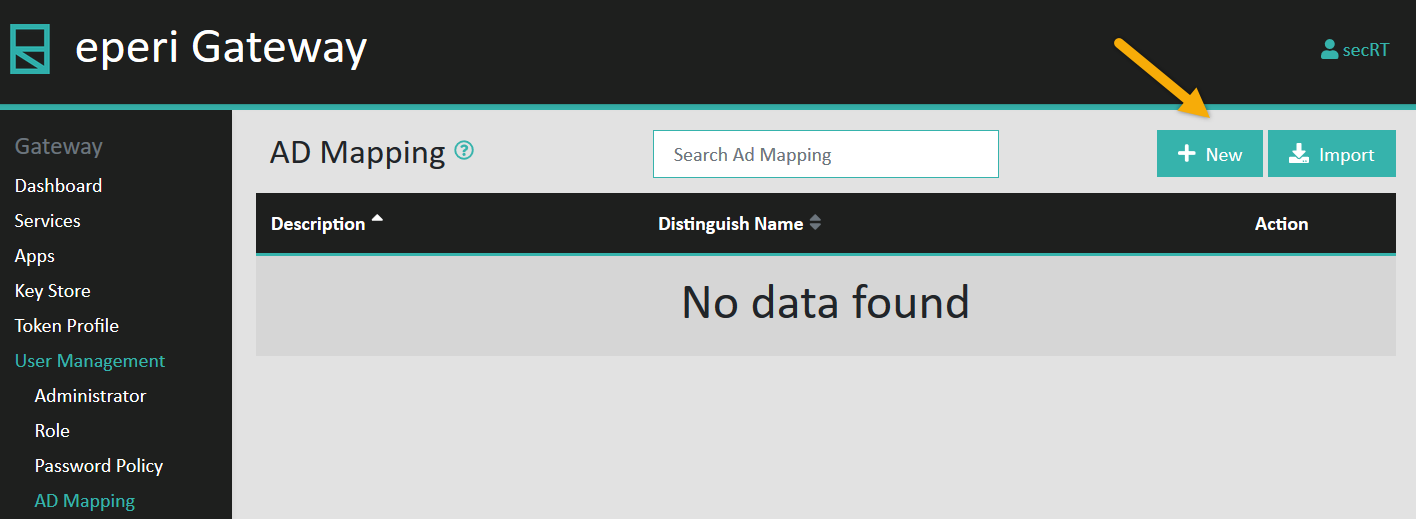
-
In the pop-up menu, enter the required information and then click
Submit.
Figure 2: Enter AD group details 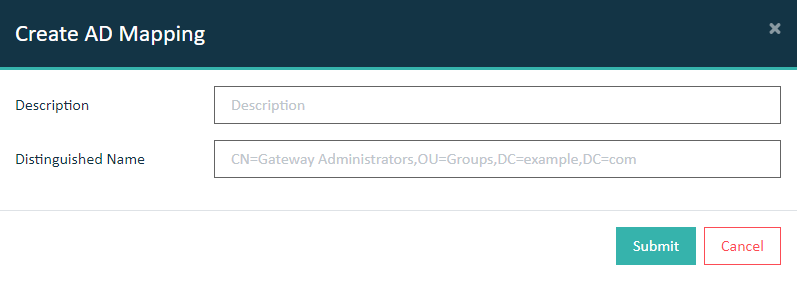
Option Description Description A description of your choice for the group mapping Distinguish Name The distinguished name (DN) of the respective Active Directory group The new group mapping is created and displayed in the list.Figure 3: New group mapping created 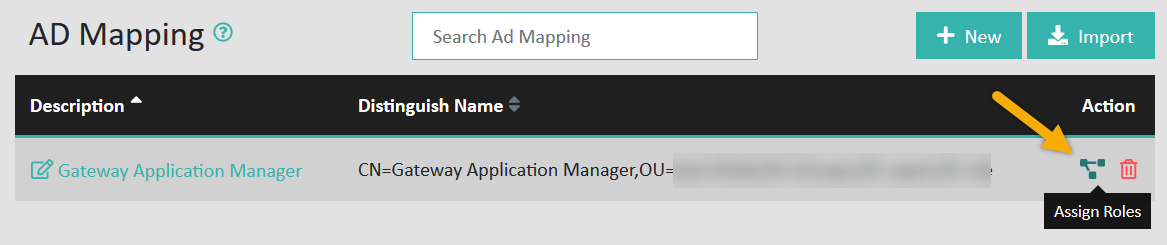
-
In the pop-up menu, select the administrator roles you want to assign to the AD
group, then click Assign.
Figure 4: Assign roles to AD group